Gaming
Valorant Tracker
by Shri30
Overview
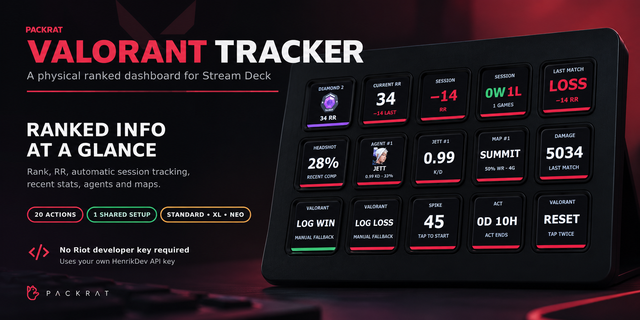
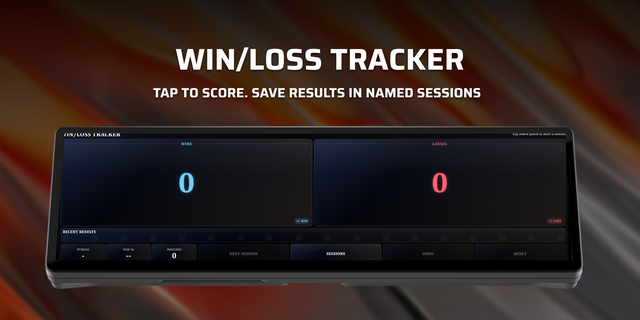
Track your Valorant rank, RR, session win/loss, and match stats live on your Xeneon Edge — plus a quick 45-second tap-to-start timer and manual win/loss logging for your competitive sessions.
Setup — required before the widget will show data
1. Get a free HenrikDev API key This widget pulls your stats from the HenrikDev Valorant API, a free community service.
Join the HenrikDev Discord
Go to the #get-a-key channel and request a Basic key (free, takes a minute)
Copy the key you receive (starts with HDEV-...)
2. Add the widget to your Xeneon Edge Drag "Valorant Tracker" onto your screen from the widget picker.
3. Open the widget's settings panel and fill in:
Riot ID e.g. Name#TAG (Your exact Riot ID, including the tag after the # (e.g. Phoenix#1337)) HenrikDev API Key (the key from Step 1) Region e.g. eu, na, ap, kr (Your Valorant region shard — just the short code, lowercase) Act End Date (YYYY-MM-DD)(Optional, Large size only) Type the date the current act ends, e.g. 2026-09-30, to show a countdown
Data appears within a few seconds of saving. It refreshes automatically and is cached for 5 minutes to stay within API rate limits.
What you'll see, by widget size
Medium: Rank tier, current RR, session win/loss, last match RR change, headshot %, top agent (name + K/D), win/loss buttons
Large / XL: + damage dealt, top 3 maps, top 3 agents with win rate, act countdown, 45-second tap-to-start timer, full manual win/loss controls with RR entry
Notes
Your API key and Riot ID are stored locally in iCUE's settings — never sent anywhere except HenrikDev's API.
Session win/loss and Net RR track from when the widget loads; use the reset (↺) button to clear them anytime.
If nothing loads, double check your Riot ID includes the #TAG and your region code is correct (eu, na, ap, or kr).
Updated the Marketplace gallery to clearly showcase Valorant Tracker on a CORSAIR XENEON EDGE without cropped information. Expanded the product description with complete features, requirements, setup instructions, and troubleshooting guidance. No widget functionality was changed.
Version 1
Aug 19, 2026
Details
Type
Gaming
Device
XENEON EDGE
OS
Windows
Size
20.96 KB
Version
1
Language
English
Support
Dashboard Sizes
Extra large
Large
Medium
Recommended Orientation
Horizontal
Interactive
Yes
You might also like