Creative Tools
Vectorworks Shortcut Profile + Icon Pack
by Adx.cool
Overview
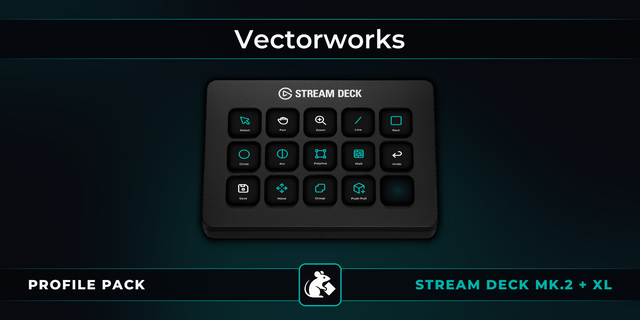
The complete Vectorworks keyboard shortcut pack for Stream Deck.
184 shortcuts across 15 categories — organized, scored by importance, and ready to install on Stream Deck Classic / MK.2, XL. Stop memorizing key combos. One tap, one action.
What's included:
• Modify (27): Move, Move 3D, Duplicate, Duplicate Array, Rotate Left 90°, and 22 more • Views (17): Top / Plan, 3D View, Front, Back, Left, and 12 more • Layers & Classes (17): Layers: Active Only, Layers: Gray Others, Layers: Gray/Snap Others, Layers: Show Others, Layers: Show/Snap Others, and 12 more • Draw Tools (16): Selection, Text, Callout, Line, Double Line, and 11 more • File & Edit (15): Save, Undo, Redo, Repeat Last, Cancel, and 10 more • Edit Tools (14): Reshape, Rotate, Mirror, Split, Connect / Combine, and 9 more • 3D & Building (14): Wall, Door, Window, Wall Join, Component Join, and 9 more • Zoom & Pan (13): Zoom In, Zoom Out, Fit to Objects, Fit to Page, Normal Scale, and 8 more • Snap & Modes (12): SmartCursor Cues, Snap Loupe, Set Datum, Snap Lock, Relative Angles, and 7 more • Palettes (10): Object Info, Activate Object Info, Resource Manager, Attributes, Navigation, and 5 more • Nudge (8): Nudge Up, Nudge Down, Nudge Left, Nudge Right, Move Up, and 3 more • 3D Model (7): Extrude, Extrude Along Path, Sweep, Add Solids, Subtract Solids, and 2 more • Spotlight (7): Spotlight Numbering, Find and Modify, Auto Number Positions, Focus Lighting Devices, Replace Lighting Devices, and 2 more • Render (6): Wireframe, Shaded, Hidden Line, Dashed Hidden Line, Final Quality Renderworks, and 1 more • Help (1): Open Docs
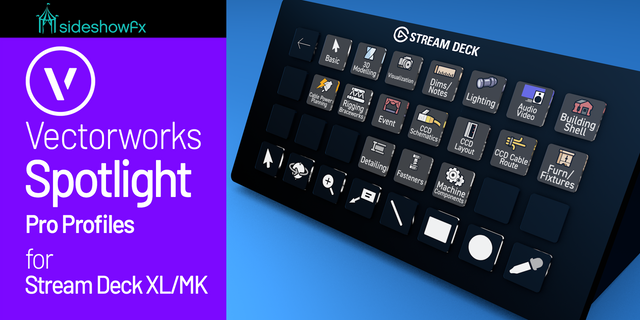
Features: • 184 keys read from Vectorworks' own 2027 shortcut table, Mac and Windows columns both • One profile for every edition — Fundamentals, Architect, Landmark, Spotlight, Design Suite: Vectorworks binds one key map for all of them • Every view on a key: top/plan, 3D, the six standard views and the four isometrics, plus wireframe, shaded, hidden line and Renderworks • Layer and class visibility as twelve one-tap modes — active only, gray, snap, show, modify — each drawn on its key • Spotlight's lighting commands on their own folder: numbering, auto number positions, focus, replace and refresh lighting devices • Tool modes, SmartCursor, snap loupe, datum and snap lock without leaving the drawing • A distinct icon on all 184 keys
Install: double-click any .streamDeckProfile to import. The App binding is pre-filled to Vectorworks — auto-activates on focus. If it didn't pre-fill, set it manually under Stream Deck → Preferences → Profiles → App.
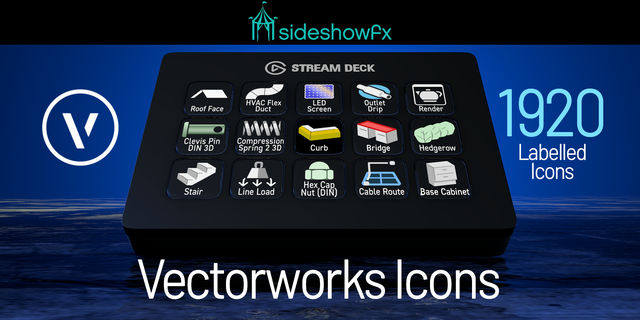
Also included: the 552-icon Vectorworks icon pack (184 icons in 3 finishes), as a .streamDeckIconPack you can install with a double-click. Every key in this profile, available to drop on any action you like.
Try it first: press the keys of this profile in your browser, no install — https://streamdeck.adx.cool/try/vectorworks/
Learn more about Vectorworks: https://www.vectorworks.net
v1.0 — first release, Vectorworks 2027.
184 shortcuts across 15 folders: Draw Tools, Edit Tools, 3D & Building, 3D Model, Views, Render, Zoom & Pan, Layers & Classes, Modify, Nudge, Snap & Modes, Palettes, File & Edit, Spotlight, Help.
Read from Vectorworks' own 2027 shortcut table — every row checked word for word against the PDF, Mac and Windows columns both. One row of that PDF is out of date: Final Shaded Polygon, which Vectorworks 2027 made a legacy mode, is left out.
Keys that need a held modifier, a double-tap or a mouse (spring-loaded tools, X-ray, suspend snapping) are left out: a deck key cannot hold or double-tap.
Where Vectorworks prints a different default on Mac and Windows (Window, Clip, Connect/Combine, Attribute Mapping and others), each profile sends its own platform's key.
Smart Profile binding for Mac and Windows.
Version 1
Oct 14, 2026
Details
Type
Creative Tools
Device
Stream Deck MK
Stream Deck XL
OS
macOS
Windows
Size
13.65 MB
Version
1
Language
English
Support
Icons
Yes
Additional links
You might also like