Audio
Volume for AirPlay Sonos
by Danila
Overview
Volume for AirPlay Sonos turns three Stream Deck keys into a live remote for any Sonos speaker on your network — whether it's playing a streaming service, line-in, or an AirPlay stream from your Mac, iPhone, or iPad.
What's included
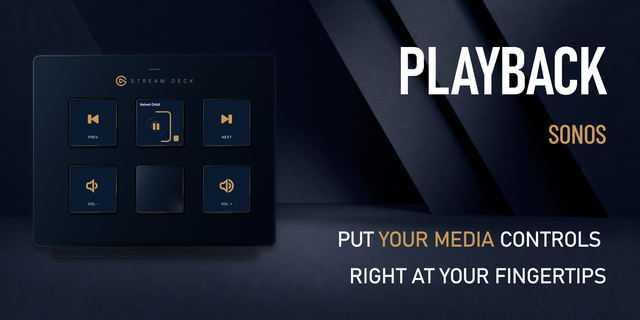
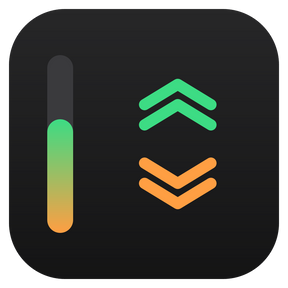
Volume Up and Volume Down keys that don't just send a command — each key continuously redraws itself with the speaker's real current volume: a large percentage readout, direction chevrons, and a fill bar along one edge. Stack Volume Down directly under Volume Up and the two bars line up into a single continuous 0–100% gauge.
A Play / Pause key that shows what a press will do — a play glyph when the speaker is idle, a pause glyph while it's playing — and skips to the next track on a double-press.
How it works
Auto-discovery. Open any key's settings and pick your speaker from a dropdown that lists the Sonos devices found on your local network. No Sonos account or app required. Prefer to type it? Manual IP entry is available as a fallback.
Always in sync. Every key reads the speaker's volume, mute, and playback state on a short poll loop, so the display stays correct even when you change things from the Sonos app, the AirPlay source, or another key.
Local only. Everything runs over the local Sonos device API — no cloud service, no login, no third-party servers.
Configurable
Volume step: 1%, 2%, 5%, or 10% per press
Volume bar on the left or right edge of the key
Show or hide the percentage on each key (hide it on one of a pair to avoid showing the number twice)
Requirements
Stream Deck software 6.9 or later
macOS 12+ or Windows 10+
A Sonos speaker on the same local network
This is an independent, third-party plugin. It is not affiliated with, sponsored by, or endorsed by Sonos, Inc. or Apple Inc. "Sonos" and "AirPlay" are trademarks of their respective owners and are used here only to describe compatibility.
Fixed: keys no longer stop working with a Sonos stereo pair. Both speakers in a pair show up under the same room name, so a key could be set to the secondary speaker, which ignores volume and Play/Pause commands. The plugin now sends volume to the pair's main speaker and Play/Pause and skip to the group coordinator. Existing keys work without reconfiguring.
Fixed: Play/Pause and double-press skip now work on speakers grouped with another room. Volume still changes only the configured room.
Improved: "Rescan network" no longer lists the secondary speaker of a stereo pair.
Version 1.0.5
Sep 15, 2026
Details
Type
Audio
OS
Mac
Windows
Compatibility
Stream Deck 6.9 or later
Size
583.12 KB
Version
1.0.5
Language
English
Support
Profiles
No
Dial support
No
You might also like