Audio
Volume Rocker
by Daniel R
Overview
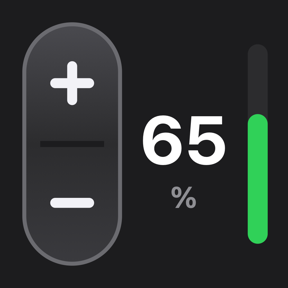
Volume Rocker turns a Stream Deck key into a volume rocker for your Mac. Click to step the volume one way, double click to step it the other way, and hold to mute. The key always shows the current system volume, even when you change it from the keyboard, the menu bar or by switching audio outputs.
Features:
• Step size you choose, from 1% to 100%
• Choose whether a double click raises or lowers the volume; a single click does the opposite
• Adjustable double-click window (150–500 ms)
• Hold the key for 0.6 s to mute or unmute; raising the volume also unmutes, just like macOS
• Live volume number and level bar on the key, with a clear MUTE state
• Responds in milliseconds: a small native helper talks to Core Audio directly, with no AppleScript
• Works with built-in speakers, USB and Bluetooth outputs
• Shows a warning on the key when the current output has no volume control (for example, some HDMI displays)
• Available in English and Spanish
Tip: put two keys side by side with different step sizes for fine and coarse control.
Requirements:
• macOS 12 or later
• Stream Deck 7.1 or later
• Controls the Mac's default output device
First release of Volume Rocker.
• Click and double click step your Mac's volume down and up, with a step size you choose (1–100%)
• Choose whether a double click raises or lowers the volume
• Hold the key for 0.6 s to mute or unmute
• The key shows the current volume and a level bar, and updates when you change the volume anywhere on your Mac
• Adjustable double-click window (150–500 ms)
• Warning on the key when the current output has no volume control
• English and Spanish
Requires macOS 12 or later and Stream Deck 7.1 or later.
Version 0.2.2
Nov 5, 2026
Details
Type
Audio
Music
Productivity
Utilities
Video
OS
Mac
Compatibility
Stream Deck 7.1 or later
Size
162.51 KB
Version
0.2.2
Language
Spanish
Support
Neo Infobar support
No
Profiles
No
Dial support
No