Gaming
Warcraft III Reforged Stream Deck Profile + Icons
by StreamSpell
Overview
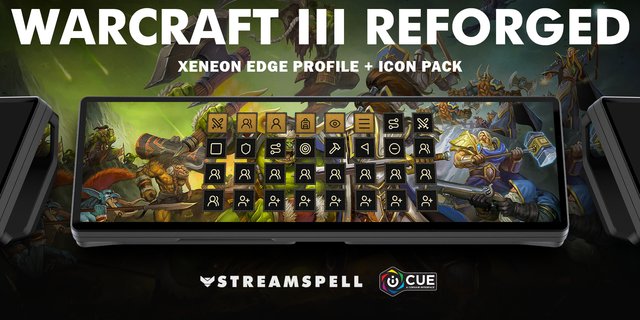
Organize 52 Classic keyboard shortcuts on Stream Deck. Charcoal stone keys with distinct category accents keep your orders and utility controls easy to find.
Orders: Move order, Attack / attack-move order, Stop order, Hold position order, Patrol order, Attack ground order, Open build menu, Set rally point, Cancel current order / menu.
Groups: Select control group 1, Select control group 2, Select control group 3, Select control group 4, Select control group 5, Select control group 6, Select control group 7, Select control group 8, Select control group 9, Select control group 0, Assign control group 1, Assign control group 2, Assign control group 3, Assign control group 4, Assign control group 5, Assign control group 6, Assign control group 7, Assign control group 8, Assign control group 9, Assign control group 0, Next subgroup, Previous subgroup.
Heroes: Select hero 1, Select hero 2, Select hero 3, Open hero abilities.
Inventory: Use inventory slot 1, Use inventory slot 2, Use inventory slot 3, Use inventory slot 4, Use inventory slot 5, Use inventory slot 6.
Camera: Select next idle worker, Cycle town halls, Center last notification, Rotate camera left, Rotate camera right, Zoom in, Zoom out.
Menus: Quest log, Game menu, Allies menu, Message log.
Includes seven Windows .streamDeckProfile files, an installable .streamDeckIconPack, 3240 matching icons in all category colour variants, and a CSV file with key mappings.
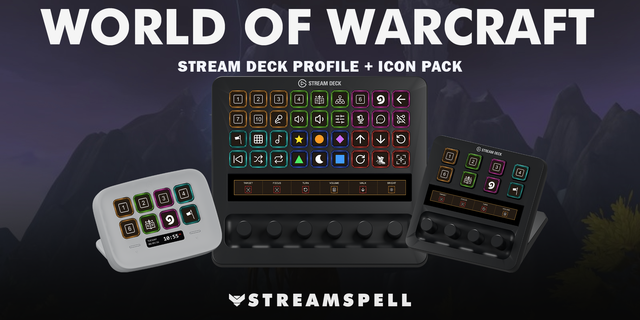
Compatibility: Stream Deck Mini, Neo, MK2, +, + XL, XL and CORSAIR Galleon 100 SD; Windows; Stream Deck app with the Elgato Key Logic action available. No additional game mods required.
Use the Classic keyboard preset with unmodified bindings. Select units, heroes or buildings before issuing their orders. Complete targeting, structure placement and skill choices manually in the game. Inventory keys use the numeric keypad. Hold the camera rotation keys; release to return to the normal view. Control groups must be assigned before recall. The profile sends single shortcuts, not automated build orders or gameplay macros. Custom maps and remapped controls may differ.
Dial controls
Stream Deck +: Zoom out/Zoom in, Previous subgroup/Next subgroup, system volume, Stream Deck brightness. Stream Deck +XL: Zoom out/Zoom in, Previous subgroup/Next subgroup, system volume, Stream Deck brightness, Rotate camera left/Rotate camera right, Use inventory slot 1/Use inventory slot 2. Galleon 100 SD: Zoom out/Zoom in, Previous subgroup/Next subgroup, system volume, Stream Deck brightness. Rotation sends a short tap for each step; press/touch are not assigned to game commands. Alternative touch strip backgrounds are included.
Not affiliated with or endorsed by the game’s creators.
Updated current-device previews and matching touch strips. Added dial controls using existing source-matched shortcuts, plus system volume/Stream Deck brightness. Existing commands and navigation retained. Alternative strip backgrounds included.
Version 1.1
Oct 22, 2026
Details
Type
Gaming
Device
GALLEON 100 SD
Stream Deck +
Stream Deck Mini
Stream Deck MK
Stream Deck Neo
Stream Deck XL
Stream Deck + XL
OS
Windows
Compatibility
Stream Deck 7.1 or later
Size
246.74 MB
Version
1.1
Support
Icons
Yes
Dial support
Yes
Additional links
You might also like