Gaming
WARDOGS Stream Deck Profile + Icons
by StreamSpell
Overview
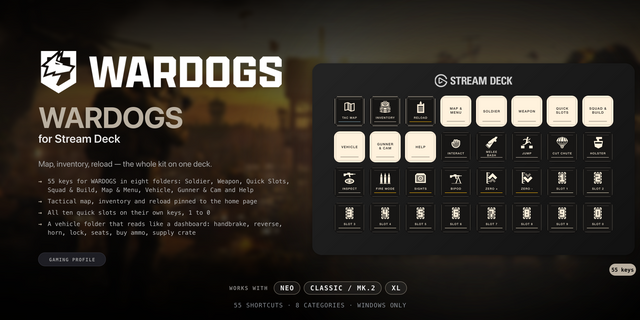
Bring 40 game shortcuts to your Stream Deck. Distinct category colours help you find controls at a glance.
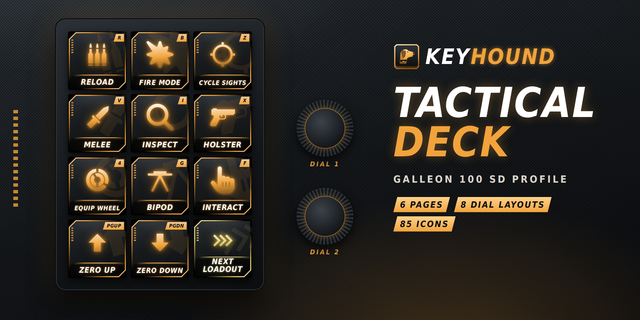
Combat: Reload magazine, Melee bash, Cycle fire mode, Cycle sights, Mount / fold bipod, Inspect item, Holster item, Increase zeroing, Decrease zeroing, Steady aim / hold breath.
Equipment: Open equipment wheel, Select quick slot 1, Select quick slot 2, Select quick slot 3, Select quick slot 5, Select quick slot 6, Select quick slot 7, Select quick slot 8, Select quick slot 9, Select quick slot 0.
Vehicles: Next vehicle seat, Previous vehicle seat, Lock / unlock vehicle, Activate countermeasure, Buy vehicle ammunition / supplies, Deploy supply crate, Sound horn, Cycle vehicle weapons, Toggle vehicle camera mode.
Utility: Interact, Open inventory, Open tactical map, Recenter tactical map, Open chat, Squad push-to-talk, Proximity push-to-talk, Open pause menu, Jump / deploy parachute, Crouch / cut parachute, Go prone.
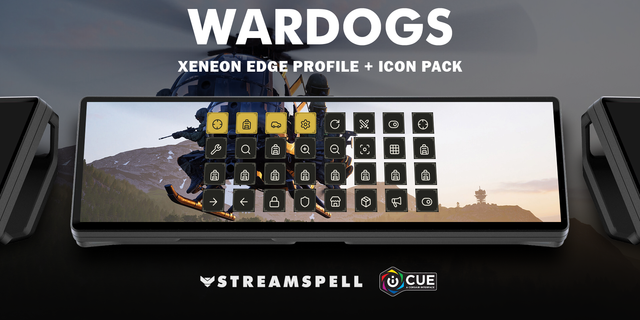
Includes seven Windows .streamDeckProfile files, an installable .streamDeckIconPack, 2430 matching icons in all category colour variants, and a CSV file with key mappings.
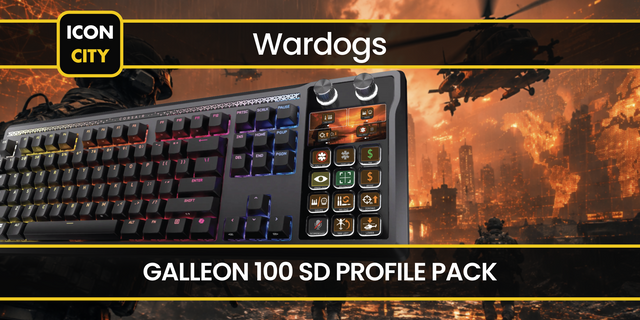
Compatibility: Stream Deck Mini, Neo, MK2, +, + XL, XL and CORSAIR Galleon 100 SD; Windows; Stream Deck app. No additional game mods required.
Use the game’s default keyboard bindings. Open the game before using the profile. Hold actions use Key Logic; press and hold the Stream Deck key. Chat and equipment selections are completed manually in the game.
Dial controls
Stream Deck +: Decrease zeroing/Increase zeroing, Previous vehicle seat/Next vehicle seat, system volume, Stream Deck brightness. Stream Deck +XL: Decrease zeroing/Increase zeroing, Previous vehicle seat/Next vehicle seat, system volume, Stream Deck brightness, Select quick slot 1/Select quick slot 2, Select quick slot 5/Select quick slot 6. Galleon 100 SD: Decrease zeroing/Increase zeroing, Previous vehicle seat/Next vehicle seat, system volume, Stream Deck brightness. Rotation sends a short tap for each step; press/touch are not assigned to game commands. Alternative touch strip backgrounds are included.
Not affiliated with or endorsed by the game’s creators.
Updated current-device previews and matching touch strips. Added dial controls using existing source-matched shortcuts, plus system volume/Stream Deck brightness. Existing commands and navigation retained. Alternative strip backgrounds included.
Version 1.1
Oct 22, 2026
Details
Type
Gaming
Device
GALLEON 100 SD
Stream Deck +
Stream Deck Mini
Stream Deck MK
Stream Deck Neo
Stream Deck XL
Stream Deck + XL
OS
Windows
Compatibility
Stream Deck 7.1 or later
Size
18.36 MB
Version
1.1
Support
Icons
Yes
Dial support
Yes
Additional links
You might also like