Gaming
Warhammer III Shortcut Profile
by Adx.cool
Overview
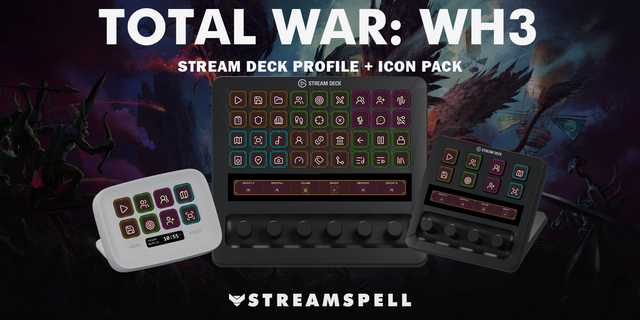
The complete Warhammer III keyboard shortcut pack for Stream Deck.
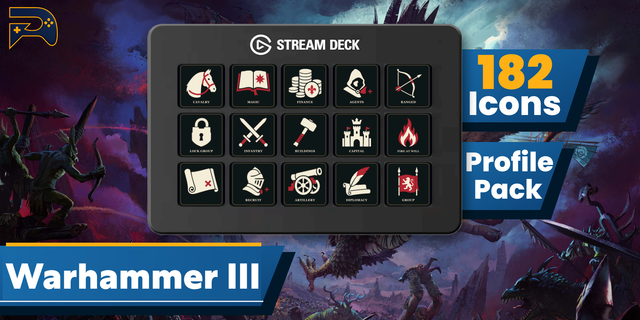
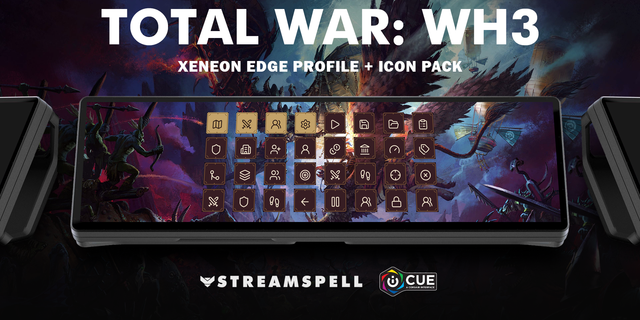
30 shortcuts across 6 categories — organized, scored by importance, and ready to install on Stream Deck Classic / MK.2, Neo, XL. Stop memorizing key combos. One tap, one action.
What's included:
• Selection (10): Select Entire Army, Select All Melee Units, Select All Ranged Units, Select All Cavalry, Select All Artillery, and 5 more • Orders (6): Soft Group Units, Lock / Unlock Group Formation, Halt Selected Units, Toggle Close Combat Mode, Withdraw / Retreat, and 1 more • Campaign (6): End Turn, End Turn Skipping Warnings, Strategic Map Toggle, Pan to Capital, Quick Save, and 1 more • Interface (4): Open Menu, Toggle UI, Open Chat, Standard Ping • Camera (3): Zoom In, Unit Camera Mode, Default Camera Rotation • Help (1): Open Controls Reference
Features: • Select every unit of a type without the two-key accord: CTRL-I, CTRL-M, CTRL-C and CTRL-B become four tiles you hit while the line is already breaking. • 30 keys in 6 folders — Selection, Orders, Campaign, Camera, Interface, plus a controls reference key. • Keys-only, Windows: Stream Deck Classic/MK.2, XL and Neo — no plugin or game mod required.
Install: double-click any .streamDeckProfile to import. The App binding is pre-filled to Warhammer III — auto-activates on focus. If it didn't pre-fill, set it manually under Stream Deck → Preferences → Profiles → App.
Learn more about Warhammer III: https://www.totalwar.com/games/warhammer-iii/
Setup (required for some keys)
Total War reuses keys across the battle and campaign layers, so four bindings are deliberately absent rather than shipped as tiles that do the wrong thing off-context: Deselect All and End Turn are both Enter (a deck press would end your turn), Withdraw and Toggle Character Move Speed are both R, Select All Ranged and Auto Merge Units are both CTRL-M. The battle meaning is the one kept in each case.
Disband Current Selection (CTRL-P) is left out on purpose — it is destructive and a mis-hit on a deck is not worth the tile.
Control-group keys ship as the pair CTRL-1 / 1. Duplicate them to 2–9 in the Stream Deck app if you use more than one group.
1.0 — Initial release. 30 keys across 6 folders: Selection, Orders, Campaign, Camera, Interface, Help. The four unit-type selections (melee, ranged, cavalry, artillery) and the control-group pair are the headline: every one of them is a CTRL accord in-game. Keys-only, Windows: Stream Deck Classic/MK.2, XL and Neo.
Version 1
Aug 11, 2026
Details
Type
Gaming
Device
Stream Deck MK
Stream Deck Neo
Stream Deck XL
OS
Windows
Compatibility
Stream Deck 6.4 or later
Size
4.57 MB
Version
1
Language
English
Support
Icons
Yes
Additional links
You might also like