Monitoring
Weather
Overview
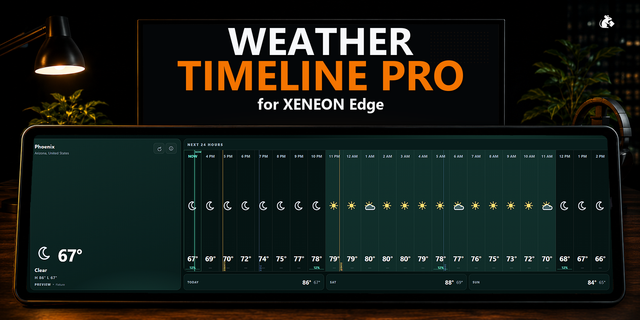
Bring the forecast to your touchscreen with Weather, an interactive XENEON EDGE widget featuring a customizable dashboard and animated backgrounds that change with the weather and time of day.
What’s Included
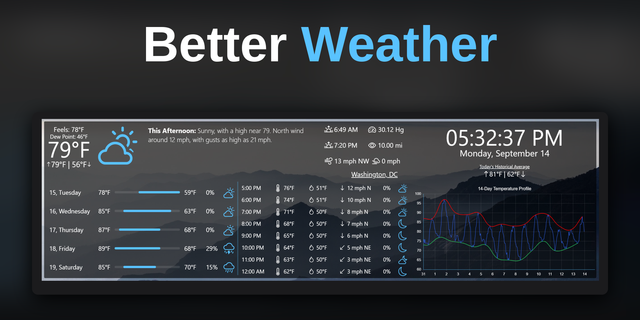
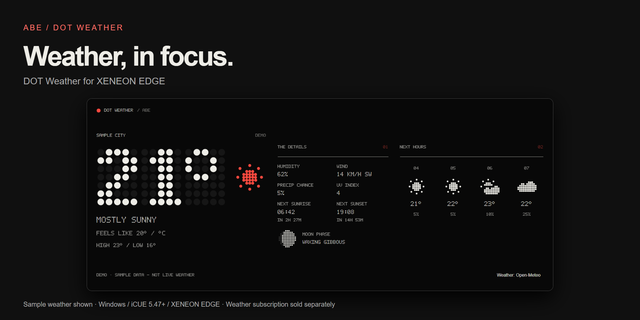
View current conditions, temperature, feels-like temperature, and today’s high and low. Color-coded temperature bars make daily ranges easy to compare.
Plan ahead with hourly forecasts and a seven day outlook. Add tiles for wind, gusts, humidity, rain chance, precipitation totals, UV index, air pressure, and visibility.
Track sunrise and sunset, view the daylight arc, or check the moon’s phase and illumination. An optional precipitation map shows available radar imagery around your location.
Enjoy 17 atmospheric scenes, including sunshine, cloudy skies, rain, thunderstorms, fog, snow, and sunrise and sunset colors. Night scenes feature stars and a moon that reflects the current lunar phase.
Organization
Tap settings to open the tile editor. Browse miniature tile previews with labeled grid dimensions, then add the information you want to see.
Drag tiles around the canvas to rearrange your dashboard. Nearby tiles move to make room, while editor outlines help you see each tile’s footprint.
Remove tiles using their minus buttons. Tiles already on your dashboard stay out of the selection pane, keeping available choices easy to browse.
Customization
Choose Small, Medium, or Large sizes for individual tiles. Make the current temperature your focal point or give more space to forecasts and other details.
Use automatic location detection at startup or search for a location in iCUE. Select Celsius or Fahrenheit, imperial or metric measurements, and a 12-hour or 24-hour clock.
Adjust background transparency and toggle animated weather backgrounds through iCUE. Your dashboard layout saves automatically for each widget instance.
Disclaimer
Weather is independently developed by Respawn Icons.
Version 1.1 - Minor Update
Permissions now ask for approval upon importing the widget to avoid the endless "Connecting" screen.
Version 1.1
Oct 19, 2026
Details
Type
Monitoring
Device
XENEON EDGE
OS
Windows
Size
46.16 MB
Version
1.1
Language
English
Support
Dashboard Sizes
Extra large
Large
Medium
Small
Recommended Orientation
Horizontal
Interactive
Yes
You might also like