Productivity
Window Manager Pro
by PackRat 🐀
Overview
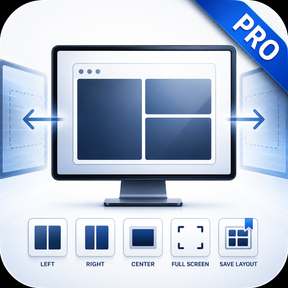
Window Manager Pro for Stream Deck: save your whole window layout to a key and put every window back on the right screen, at the right size, in one press.
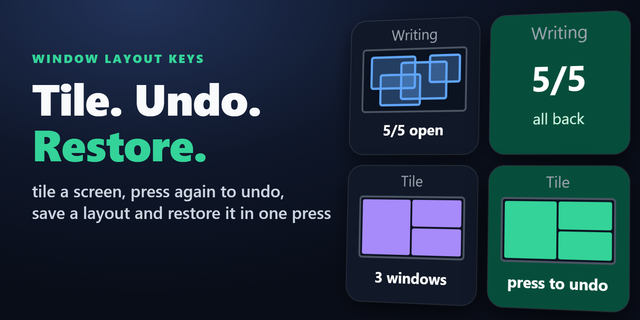
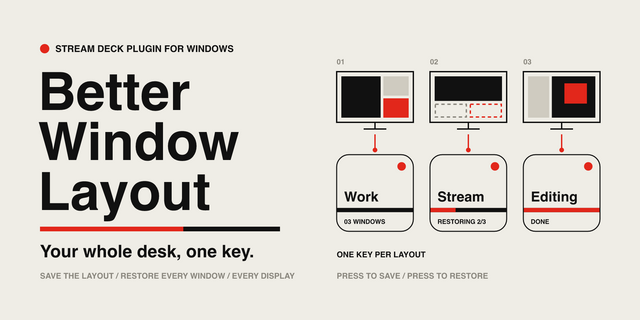
Window Manager Pro saves your whole window layout to a key. Arrange things the way you like them, hold the key once to record it, and every press after that puts everything back, on the right screens and at the right sizes. Rebuilding the same arrangement every morning stops being part of the job.
Works on every Stream Deck model, for Windows and macOS.
*Your whole setup. One press.*
**Window Layout** - Hold a key to record where everything is, press it to put it all back. Give each key its own name and keep a setup for writing, one for editing, one for a stream.
**It survives the screens changing** - Layouts remember a share of each screen rather than fixed points, so one saved on a large display still makes sense on a laptop, and undocking never leaves a window off the edge.
**Nothing running is skipped quietly** - Programs that are not open are left out and the key tells you how many, so a half restored setup is never a surprise.
**A dial for the fine work** - On a Stream Deck Plus, turn to slide a window along or resize it a little at a time. Press to swap between the two. It can never be pushed off the screen.
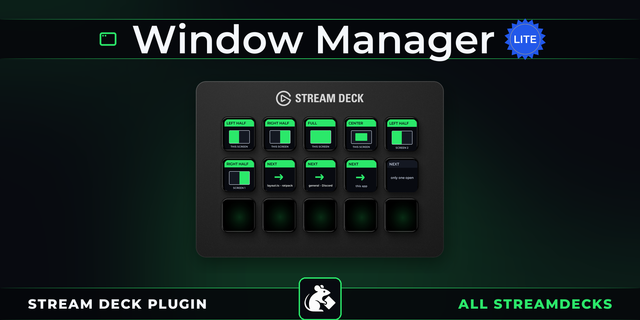
**Snapping, all the way down** - Halves, thirds, two-thirds, full screen, dead center, or type exact coordinates yourself and the key remembers them. Stack a few keys and you've got a side-by-side, a thirds-based layout, or anything your monitors call for. Stepping through your open windows is one press away too.
Works on Windows and macOS, on every Stream Deck.
---
More Stream Deck profiles, plugins and tools from Packrat, all on the marketplace at @packrat.
window layout, window manager, multi monitor, save windows, snap window, custom window snap, window thirds, Windows, macOS
• Save an independent window arrangement on each key, even when layout names match.
• Hold a layout key to record; press briefly to restore with an arrangement preview.
• Keep existing per-key and named layouts when updating, with safer missing-window and settings handling.
• Refresh the inspectors with consistent PackRat styling while preserving Snap, Cycle and Nudge controls.
Version 1.3.1
Oct 19, 2026
Details
Type
Productivity
OS
Mac
Windows
Compatibility
Stream Deck 6.9 or later
Size
1.74 MB
Version
1.3.1
Language
English
Support
Neo Infobar support
No
Profiles
No
Dial support
Yes
You might also like