Business
Windows Cockpit Lite
by VIVRE-MOTION
Overview
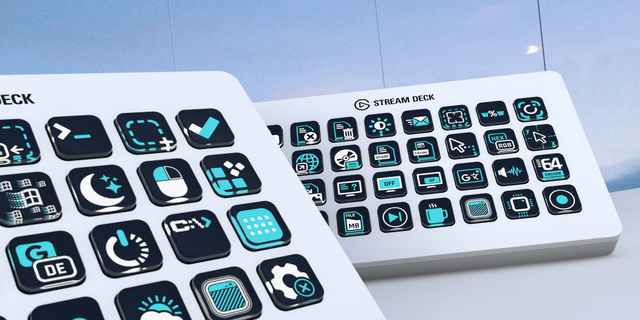
Collection of 160+ Windows Assistants, Tools, On-the-fly Wizards inspired by Microsoft PowerToys to optimize your Workflow. The Windows Cockpit Lite Plugin is the ultimate Wingman for your Stream Deck.
With the Windows Cockpit Stream Deck Plugin you control all important events, shortcuts and workflows. With the pre-configured Assistants (Wizard-Tools), you bring your Workflow to a New Level.
ⓘ Important Notice — A complete list of all Windows Cockpit Lite features, along with the full disclaimer, technical dependencies, limitations, and compatibility information, is available at https://vivre-motion.com/windowscockpit
What's Included in Windows Cockpit LITE:
Image Batch Conversion ❯ PNG and GIF
Image Batch Editing ❯ Resize by percentage and rotate images
File Management ❯ Copy files and folders
Folder Tools ❯ Folder Explode
File Lists ❯ Compact file lists
Shortcut Generator ❯ Create desktop shortcuts and internet links with favicons
Clipboard Tools ❯ Clean formatting and process plain text or HTML
Text Tools ❯ Tally counter, Random generator, Text Statistics, Mirror text case and insert DateTime values
Window Management ❯ Position, resize, minimize, maximize and move windows
Multi-Monitor Control ❯ Move and arrange windows across multiple displays
Explorer View Switcher ❯ Icons, list, details and content views
Screenshot Tools ❯ Capture windows or displays to files or the clipboard
Printing Tools ❯ Instant Image Print Dialog and RAW printing
Monitor Control ❯ Standby, scaling and HDR
Screen Effects ❯ Grayscale, red, green and blue filters, blackout, Night Light and Window Shaker
Mouse Automation ❯ Vertical and horizontal scrolling and mouse position detection
Media Control ❯ Playback, recording, microphone and system volume
Browser Automation ❯ Launch multiple websites
Web Search ❯ Google, Bing and Yandex
Translation Tools ❯ Google Translate with multiple supported languages
AI Assistant Tools ❯ Send AI instructions to the clipboard
E-Mail Templates ❯ Create predefined e-mail messages instantly
Process Control ❯ Start or terminate applications and Windows processes
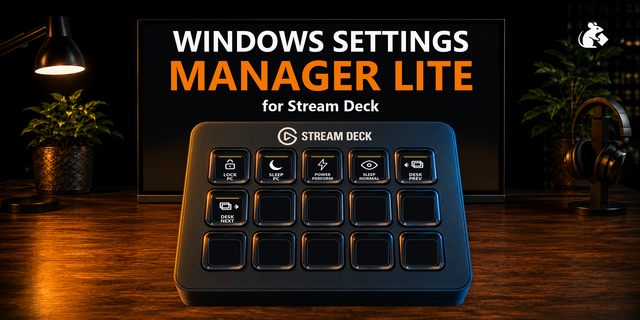
Windows Power Control ❯ Shutdown with countdown, restart, sleep, lock and sign out
Execute Event ❯ Execute actions at a scheduled time
Power Plan Control ❯ Switch Windows power plans
Windows Appearance ❯ Dark Mode, Light Mode and Night Light
System Information ❯ System UpTime, Generate detailed system reports and reset the GPU driver
Windows Administration ❯ Printer Spooler, Task Manager and GodMode
Windows Apps ❯ Sticky Notes, Microsoft To Do, Weather and Sound Recorder
Additional Windows Tools ❯ Emoji Panel, Clipboard History, Recycle Bin and Spotlight
And many more ...
▁▁▁▁▁▁▁▁▁▁▁▁▁▁▁▁▁▁▁▁▁▁▁▁▁▁▁▁▁▁
Unlock the Full Power of Windows Cockpit PRO ❯ Discover advanced features including PDF Tools for merging, splitting and converting files, ZIP Tools, MP3 ID3 Tag Editing, Image Metadata Management and advanced Image Batch Conversion and Editing with JPG, TIFF, BMP, WebP, ICO, HEIC, Camera RAW/DNG and Photoshop support. Take full control with Advanced Window Management, Always on Top, Window Opacity, Click Through, Z-Index Control and Monitor Input Switching via HDMI, DisplayPort, DVI and VGA using DDC/CI. Automate your workflow with Mouse Automation, advanced File Management, Regex Renaming, File Date Modification, Base64 Encoding/Decoding and countdown-based actions. Enjoy ChatGPT Browser and Claude App Integration, enhanced Google Translate features, Live Screen Monitoring, advanced Screen Filters, Network Adapter Control, Manage Virtual Desktops, Drive Eject, Windows Power Management with Keep PC Awake and Application Updates via Windows Package Manager (winget). Unlock advanced Windows Administration with PowerShell, Command Line and Registry tools — and much more
FIX #260 Blackout Countdown DPI scaling
NEW #264 Windows Restart Countdown
NEW #267 Text Count + Statistics
NEW #268 Reset Printer Spooler
NEW #269 Toggle All Microphones Mute
NEW #271 Generate Random Number Display
NEW #274 Switch Virtual Desktop Next
NEW #275 Switch Virtual Desktop Previous
NEW #276 Switch Virtual Desktop
NEW #277 List Virtual Desktops
NEW #278 Move Window to Virtual Desktop
NEW #279 Move Window to New Virtual Desktop
NEW #282 Convert to STL ᴮᴱᵀᴬ
NEW #286 Generate Lorem Ipsum Text
NEW #287 System Uptime
NEW #288 Tally Counter Display
UPDATE Dependencies
UPDATE Licenses
Version 4.0.0.5
Oct 27, 2026
Details
Type
Business
Development
Productivity
Utilities
OS
Windows
Compatibility
Stream Deck 7 or later
Size
143.52 MB
Version
4.0.0.5
Language
English
Support
Neo Infobar support
No
Profiles
No
Dial support
No
Additional links
You might also like