Development
Xcode Shortcut Profile
by Adx.cool
Overview
v2 — 2026-07-13 Xcode 26 sync. +8 shortcuts over v1, led by the Xcode 26 Intelligence surface.
The complete Xcode keyboard shortcut pack for Stream Deck.
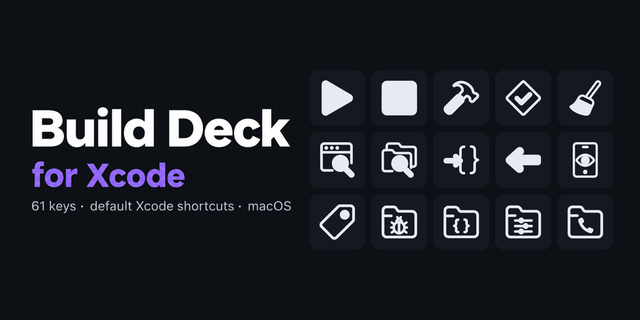
68 shortcuts across 9 categories — organized, scored by importance, and ready to install on Stream Deck Neo, Classic / MK.2, XL. Stop memorizing key combos. One tap, one action.
What's included:
• Navigate (13): Open Quickly, Go to Line, Jump to Definition, Reveal in Project, Go Back, and 8 more • Edit (13): Toggle Comment, Add Doc Comment, Re-Indent Selection, Move Line Up, Move Line Down, and 8 more • Build & Run (9): Build, Run, Stop, Test, Profile, and 4 more • Debug (9): Toggle Breakpoint, Activate Breakpoints, Step Over, Step Into, Step Out, and 4 more • Find (7): Find in File, Find in Project, Find & Replace, Replace in Project, Find Next, and 2 more • File (7): New File, New Project, Save, Save As, Close Tab, and 2 more • View (6): Toggle Navigator, Toggle Inspector, Standard Editor, Assistant Editor, Show Library, and 1 more • SwiftUI (2): Refresh Preview, Toggle Canvas • Help (2): Developer Docs, Open Docs
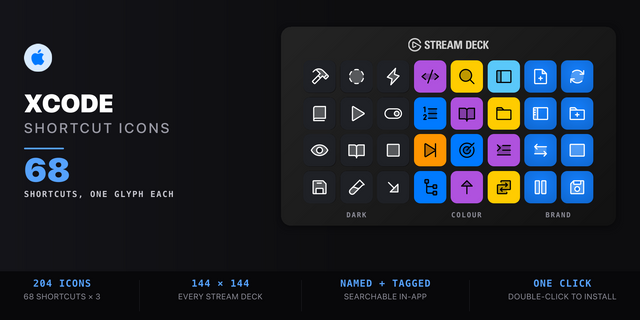
Features: • Three icon themes: Dark (minimal, accent bars), Plain (vibrant category colors), and Brand (app signature color across all keys) • Folder-based navigation with category pages for quick access • Auto-organized layout — most important shortcuts first • Works on Stream Deck Neo, Classic / MK.2, XL • macOS only
v2 — 2026-07-13 Xcode 26 sync. +8 shortcuts over v1, led by the Xcode 26 Intelligence surface.
New: • Show Code Actions (Shift-Cmd-A) — Coding Tools popover (fix, generate, rename) • Fix All Issues (Ctrl-Alt-Cmd-F) • Source Control Navigator (Cmd-2), Symbol Navigator (Cmd-3) • Commit (Alt-Cmd-C), Developer Docs (Shift-Cmd-0) • Fold / Unfold block (Alt-Cmd-Left/Right)
Also: retargeted from Xcode 16 to Xcode 26.
68 shortcuts, mac-only, Smart Profile auto-switch.
Note: a few editor-pane bindings (Assistant / Canvas via Opt-Cmd-Return / Ctrl-Cmd-Return) vary by Xcode version — if one doesn't fire, check Xcode > Settings > Key Bindings and update the button.
Existing customers: re-install the .streamDeckProfile to pick up the new buttons — earlier assignments are preserved.
Version 2
Jul 16, 2026
Details
Type
Development
Device
Stream Deck Mini
Stream Deck MK
Stream Deck Neo
Stream Deck XL
OS
macOS
Compatibility
Stream Deck 6.4 or later
Size
3.95 MB
Version
2
Language
English
Support
Icons
Yes
Additional links
You might also like