Gaming
Zomboid Dashboard
by TeaTime
Overview
Zomboid Dashboard
Your Project Zomboid survivor, live on the XENEON EDGE. Built for Build 42.
Needs the Stream Deck Bridge mod (1.4.0 or later for Inventory), a small open-source client-side mod. Get it from teatimeservers.ca or GitHub (AussieH/zomboid-deck-bridge), or let Zomboid Deck for Stream Deck install it, then switch it on in the game's Mods menu. Needs iCUE 5.51 or later.
The dashboard
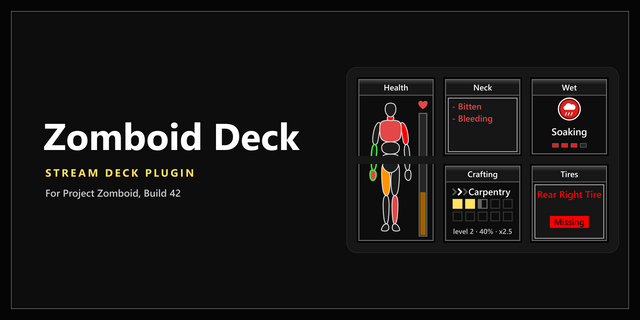
Health: the health number, a body map coloured by each part's wounds (bleeding parts pulse, treated parts outlined in green), the Overall Body Status and the hurt parts worst first: Bitten, Laceration, Fracture, Bandaged and the rest.
Moodles: worst first, as the game's round discs with their level.
Time and weather: the HUD clock, date, day survived, weather and temperature.
Utilities countdown: in single player, the time left before the power and water go off. On a server it shows only on or off.
Hands: your weapon's condition, edge or rounds, your off hand, and the weight you carry.
In a car
The dashboard becomes the car's own: a big speedometer with its red needle and digital speed, the fuel gauge from E to F, the engine's condition, the engine, headlight and battery lights, and the gear. On larger sizes the Mechanics window sits beside it. Get out and it turns back by itself.
The pages
Health: every hurt part with all its lines.
Moodles: every moodle, with food, water, rest and endurance.
Mechanics: the car outline coloured by part, the Overall Condition, and every part by category, worst first.
Character: profession, traits, body weight, favourite weapon, kills and time survived.
Skills: every skill in its boost colour, the ten squares, the skill book's arrows, and a skill lit up as it gains XP.
Protection: bite and scratch defence for each body part.
Temperature: the core temperature and body heat bars, and the body views.
Inventory: your main inventory and every bag, each with its weight and capacity; every stack with its count, category, weight and condition, sorted like the game's inventory window.
Sizes and touch
Choose the size in iCUE: Small to Extra Large, across or upright. Smaller sizes drop what has no room instead of shrinking the text.
Show sets a widget to the whole dashboard or one page, so a big dashboard can sit beside smaller page widgets.
Touch: tap the page tabs, and tap a long list for its next rows.
Follows the game: get hurt and it turns to Health; damage the car and it turns to Mechanics; then it turns back once it's quiet.
Settings
The page shown, tabs, car dashboard and following, the dashboard's panels, units and clock, and colours.
It reads two files the mod writes in your Zomboid folder
It shows only what the game shows you: never a hidden infection.
No cheats: the widget only reads, and the mod changes no stats.
Unofficial: Zomboid Dashboard is made by TeaTime and is not affiliated with or endorsed by The Indie Stone. Project Zomboid is a trademark of The Indie Stone. No game art is used.
Zomboid Dashboard 1.2.1
First release.
Your Project Zomboid survivor live on the XENEON EDGE, from the Stream Deck Bridge mod: health and the body map, moodles worst first, time and weather, hands and weight.
A full car dashboard when you drive: speedometer, fuel, engine, lights and gear, with the Mechanics window beside it.
Pages for Health, Moodles, Vehicle, Mechanics, Character, Skills, Protection, Temperature and Inventory.
Every XENEON EDGE size, across and upright; a Show setting puts one page on a widget.
Touch: page tabs, and a tap on a long list for its next rows.
Follows the game: it turns to Health when you're hurt and to Mechanics when the car is damaged.
The power and water shutoff countdown in single player.
Reads the mod's files through iCUE's file access.
Version 1.2.1
Oct 7, 2026
Details
Type
Gaming
Device
XENEON EDGE
OS
Windows
Size
183.22 KB
Version
1.2.1
Language
English
Support
Dashboard Sizes
Extra large
Large
Medium
Small
Recommended Orientation
Horizontal
Interactive
Yes
Additional links
You might also like