Audio
Audio Meters
Overview
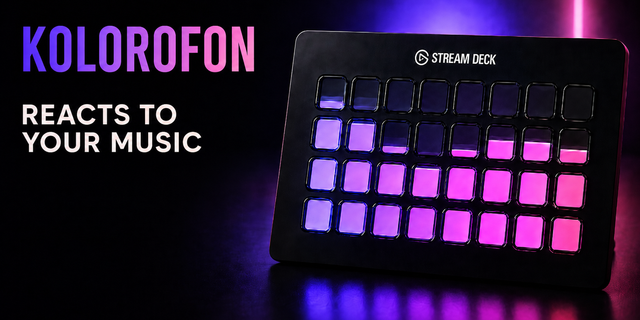
See what you hear. Nine studio meters on your keys and dials.
Level, VU, spectrum, spectrogram, waveform, oscilloscope, stereo field, loudness and musical key. There is no driver to install and no account to make. On Windows it reads the system's own loopback capture, the same way a screen recorder hears your PC; on a Mac it uses Core Audio's own process taps. Play something and it moves.
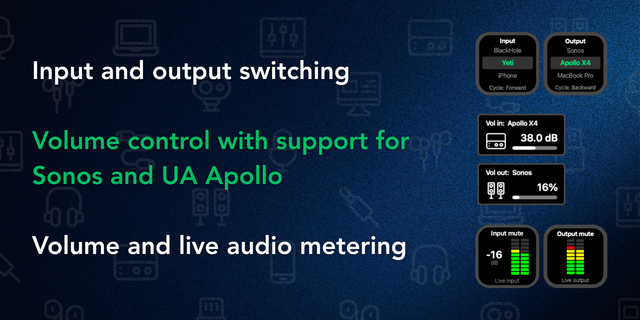
Listen to exactly what you want
Everything your computer plays
One output - your speakers, your headphones, a second device
One input - a microphone, a line-in, or your interface's own loopback
One app - only Spotify, only the game, only the browser
One press puts the same source on every meter on every page.
Every meter goes deeper
Level: peak and RMS, sample or true peak, peak hold and a CLIP lamp that waits for you
VU: needle, twin needle, bar or LED, with 0 VU at -20, -18, -14 or -12 dBFS
Spectrum: 12 to 56 bars with peak caps
Spectrogram and waveform: frequency and amplitude over time, at the speed you set
Stereo: polar or Lissajous, with correlation
Loudness: momentary, short-term, long, integrated, max, range, true peak and PLR, against your own target
Key: note names or Camelot, with a confidence bar
On a Stream Deck +, turning the dial steps each meter's own setting and a press resets it.
A DAW on ASIO, too
Windows never hears ASIO. Point a meter at your interface's hardware loopback and the DAW shows up with everything else. Tested on an Arturia MiniFuse; the Focusrite route is in the manual.
It never moves on nothing
Silence says QUIET. A closed app says APP NOT RUNNING. A muted output says MUTED. A face that cannot know something says so, rather than drawing a bar that dances on air.
Six palettes, including the shared Firedies color taken from the album cover of whatever is playing, or two colors of your own. Alert red never changes.
Windows 10 or later, and macOS 13 or later. On a Mac, listening to the system, an output or a single app needs macOS 14.2; an input works on any version.
Audio Meters now runs on macOS as well as Windows. All nine meters, their readings and their palettes are the same on both.
New in 1.1.0
macOS 13 or later, alongside Windows 10 or later
On a Mac, the System, output and single-app sources use Core Audio process taps, which need macOS 14.2 or later; on earlier versions an input still works and the other sources say what they need
The first time, macOS asks once to allow Audio Meters to record audio
On a Mac the meters read the sound apps send, before the volume slider, so turning the Mac down does not move them. The volume-slider compensation switch is Windows only
Improved in 1.1.0
Each frame takes a fraction of the processor time it did, so meters keep their full frame rate, up to 40 frames a second on a dial, even with a video editor or a game running alongside. The faces look exactly as before.
Fixed in 1.1.0
Fixed bug where every meter set to a chosen output or input read DEVICE NOT FOUND after a Windows update or a driver reinstall, although the device was plugged in and working. Windows gives a device a new ID when its driver is reinstalled; each meter now finds its device again by name and keeps the new ID.
Your sources, meters and settings carry over as they are.
Version 1.1
Oct 9, 2026
Details
Type
Audio
Monitoring
Music
Streaming
OS
Mac
Windows
Compatibility
Stream Deck 6.9 or later
Size
19.31 MB
Version
1.1
Language
English
Support
Neo Infobar support
No
Profiles
No
Dial support
Yes
Additional links
You might also like