Lighting
Chroma Deck
by Andy Smith
Overview
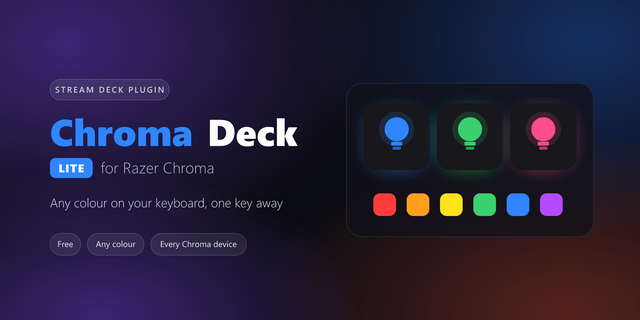
Chroma Deck puts your Razer Chroma lighting on your Stream Deck. Press a key to set your keyboard, mouse, mousepad, headset, keypad or Chroma Link to any colour, or to an animated effect: Breathing, Spectrum Cycling, Wave, Fire or Starlight. One key can light several devices at once.
Effects
Static — a single colour of your choice
Breathing — your colour fading gently in and out
Spectrum Cycling — a smooth cycle through every colour
Wave — a rainbow sweeping across your keyboard
Fire — flames rising up your keys
Starlight — random keys twinkling and fading
Wave, Fire and Starlight are drawn key by key on a Chroma keyboard. Other devices show a whole-device version of the same effect.
Actions
Set Lighting — pick your devices, effect and colour, then press to apply
Lights Off — switches off lighting on every connected device in one press
Also included
12 key icons that follow your effect and colour automatically, or choose your own
Custom key titles
Requirements
Windows 10 or later
Razer Synapse installed with Chroma Connect enabled
A Chroma-compatible Razer device
Good to know: while your PC is locked or asleep, Razer Synapse shows its own default lighting. Chroma Deck restores your effect when you log back in.
Not affiliated with or endorsed by Razer Inc. Razer and Chroma are trademarks of Razer Inc.
Chroma Deck 1.1.0
THREE NEW EFFECTS
Matrix - code rains down the keyboard, with a bright leading character and a fading trail behind it, in whatever colour you pick.
Wheel - a rainbow colour wheel spins around the H key, turning the whole keyboard through the spectrum at once.
Tetris - randomly coloured blocks fall and stack up where they land until the board is full, then it clears and starts again.
STREAM DECK + DIALS
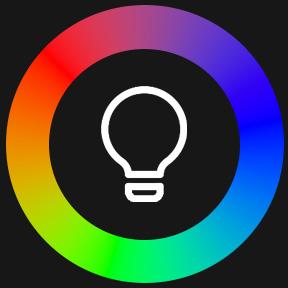
Color Dial - turn to step through thirteen colours. If an effect that uses a colour is already running, the dial recolours it live without restarting it, so Starlight keeps twinkling and Matrix keeps raining while the colour changes. Otherwise it sets a solid colour. Press to black the lights out and back on.
Brightness Dial - dim or brighten whatever is running, five percent per step, with the level on the touchscreen. Press to black out, press again to return to where you were. It works on animated effects too, so you can turn the lighting right down without losing what you had set.
FIXES
Lighting sometimes stopped responding, leaving Razer Synapse's own profile on the keyboard whichever key you pressed. Chroma hands out a connection just before it is ready to accept one, and the plugin gave up instead of waiting. It now waits, which also clears up the occasional key that needed a second press.
Version 1.1
Oct 6, 2026
Details
Type
Lighting
OS
Windows
Compatibility
Stream Deck 7.1 or later
Size
95.53 KB
Version
1.1
Language
English
Support
Profiles
No
Neo Infobar support
No
Dial support
Yes
You might also like