Lighting
Chroma Deck Lite
by Andy Smith
Overview
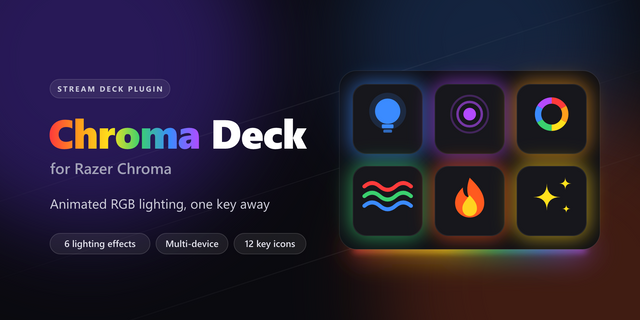
Chroma Deck Lite puts your Razer Chroma lighting on your Stream Deck, free. Press a key to set your keyboard, mouse, mousepad, headset, keypad or Chroma Link to any colour you like, and press another to switch the lighting off everywhere.
What you get
Set Lighting — choose a device and a colour, then press the key to apply Lights Off — switches off lighting on every connected device in one press Custom key titles, and a key that shows the colour it will set Lite lights one device per key, in a solid colour.
Requirements
Windows 10 or later Razer Synapse installed with Chroma Connect enabled A Chroma-compatible Razer device
Want more?
Chroma Deck Pro adds:
Eight animated effects — Breathing, Spectrum Cycling, Wave, Fire, Starlight, Matrix, Wheel and Tetris, drawn key by key on a Chroma keyboard
Several devices lit from a single key
Stream Deck + dials for colour and brightness, which change the effect already running instead of replacing it
15 key icons that follow your effect and colour automatically
Good to know: while your PC is locked or asleep, Razer Synapse shows its own default lighting. Chroma Deck restores your colour when you log back in.
Not affiliated with or endorsed by Razer Inc. Razer and Chroma are trademarks of Razer Inc.
Chroma Deck Lite puts your Razer Chroma lighting on your Stream Deck, free. Press a key to set your keyboard, mouse, mousepad, headset, keypad or Chroma Link to any colour you like, and press another to switch the lighting off everywhere.
What you get
Set Lighting — choose a device and a colour, then press the key to apply Lights Off — switches off lighting on every connected device in one press Custom key titles, and a key that shows the colour it will set Lite lights one device per key, in a solid colour.
Requirements
Windows 10 or later Razer Synapse installed with Chroma Connect enabled A Chroma-compatible Razer device
Want more?
Chroma Deck Pro adds:
Eight animated effects — Breathing, Spectrum Cycling, Wave, Fire, Starlight, Matrix, Wheel and Tetris, drawn key by key on a Chroma keyboard
Several devices lit from a single key
Stream Deck + dials for colour and brightness, which change the effect already running instead of replacing it
15 key icons that follow your effect and colour automatically
Good to know: while your PC is locked or asleep, Razer Synapse shows its own default lighting. Chroma Deck restores your colour when you log back in.
Not affiliated with or endorsed by Razer Inc. Razer and Chroma are trademarks of Razer Inc.
Version 1
Oct 6, 2026
Details
Type
Lighting
OS
Windows
Compatibility
Stream Deck 7.1 or later
Size
61.96 KB
Version
1
Language
English
Support
Profiles
No
Dial support
No
Neo Infobar support
No
Additional links
You might also like