Gaming
Cockpit Gauges for War Thunder
by GRAMSHIFT
Overview
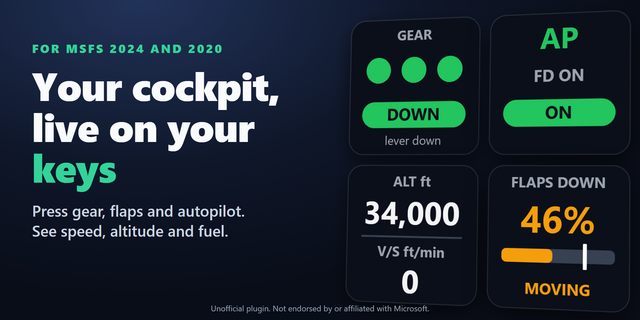
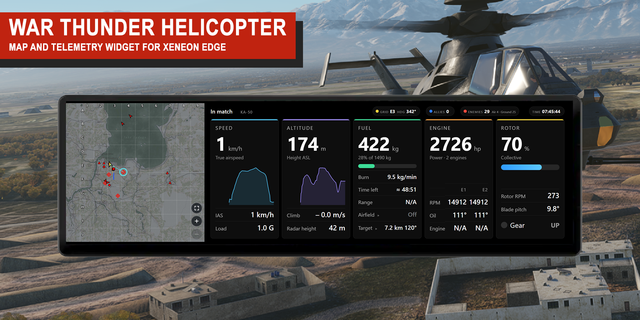
Live War Thunder cockpit gauges on your Stream Deck: airspeed, altitude, fuel with the minutes it lasts, engine temperature, landing gear and flaps of your aircraft, right on your keys while you fly. Jump into a tank and the same keys switch by themselves to speed and gear, your crew with your gunner and driver, and the rounds in your ready rack. Your Stream Deck becomes a live instrument panel beside your screen, like the instruments of a flight sim cockpit, for air and ground battles on PC.
Features
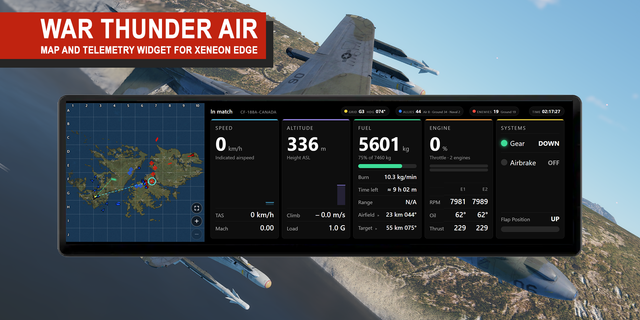
Speed: airspeed (IAS) and altitude. Press the key for true airspeed (TAS) and Mach, then climb rate
Fuel: the percent of your full tanks, a bar, and the minutes left at your current burn. It turns orange, then red, as you reach the warning time you choose, and stays red at EMPTY. Press for kilograms and the tank size
Engine: the highest oil temperature and the highest water temperature among your engines (they can come from different engines) as green, orange and red. The colors start from a guide, and you can enter the temperatures where your aircraft overheats
Gear & Flaps: landing gear UP, DOWN or moving, flaps with a bar, and the airbrake
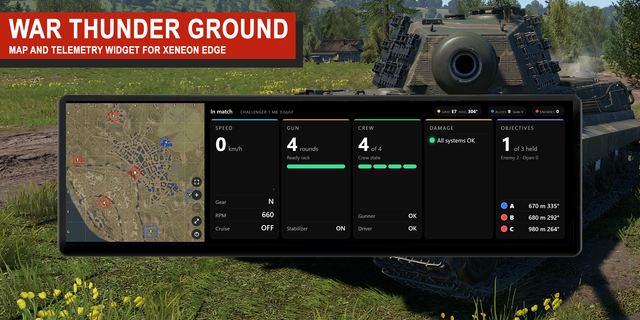
In a tank: gear (N, R) with speed, rpm and cruise control; crew left (for example 3/4) with your gunner and driver shown OK or in orange; and the rounds left in the ready rack
Switches between aircraft and tank by itself, also in the middle of a battle
Shows IN HANGAR between battles, holds your last values steady while a map loads, and says LOADING when a load takes longer
Grays the values out with STALE when none of them has changed for 10 seconds, so old numbers never look live
Finds the game by itself: start War Thunder and the keys connect
km/h, mph or knots; meters or feet; Celsius or Fahrenheit
English and Japanese
Setup
Drag Speed, Fuel / Crew, Engine / Ready Rack and Gear & Flaps onto keys
Start War Thunder and join a battle or a test flight. The keys connect by themselves, with nothing to change in the game
Press Speed or Fuel to switch what the key shows. Units, the fuel warning and the engine temperatures are in each key's settings
The Status line in a key's settings shows whether the game is found, and the address the keys read
Privacy
Runs entirely on your PC and only reads your own vehicle from the game on the same PC. Nothing is sent over the network.
Requirements
Windows 10 or later, Stream Deck app 6.9 or later, War Thunder on PC
Limitations
Display only: it shows values and never sends keys, mouse input or commands to the game
Shows your own vehicle only, not other players
PC only, not PlayStation or Xbox
Some game modes and custom battle settings turn this data off. The keys then show NO DATA until it comes back. The Support page has a quick check
Shows only what the game reports for your own vehicle: no reload timer, ammunition count or damage for tanks, and each aircraft only with the gauges it has (an air-cooled engine has no water temperature)
Ships are not supported
The fuel time left needs a few seconds of flight to measure
If a game update renames a value, the keys leave that value out; with all the main values gone they show DATA CHANGED, and data that cannot be read at all shows BAD DATA
The gunner and the driver show OK when the game sends 0, as it does for a full crew; any other number is shown as the game sends it, without a unit, because the game does not document what it counts
Ideas for new keys, or a bug? Use the Support link. Every message is read.
Unofficial: not affiliated with or endorsed by Gaijin Entertainment. War Thunder is a trademark of its respective owner.
Fixes for War Thunder 2.59:
Aircraft gauges (speed, altitude, fuel, engine, gear) now show in arcade air battles, where they could stay on WAITING.
Steadier reading of the game's local data: the keys no longer drop a reading every other second.
During a vehicle change the keys keep the last aircraft for a moment instead of flashing WAITING.
Steadier fuel time left: averaged over the last minute, so it no longer jumps by several minutes. No settings change needed.
Version 1.0.2
Nov 2, 2026
Details
Type
Gaming
Utilities
OS
Windows
Compatibility
Stream Deck 6.9 or later
Size
124.88 KB
Version
1.0.2
Language
English
Japanese
Support
Neo Infobar support
No
Profiles
No
Dial support
No
Additional links
You might also like