Gaming
Crosshair Sight
by VIVRE-MOTION
Overview
Custom Gaming Crosshair Overlay for FPS & Shooter Games
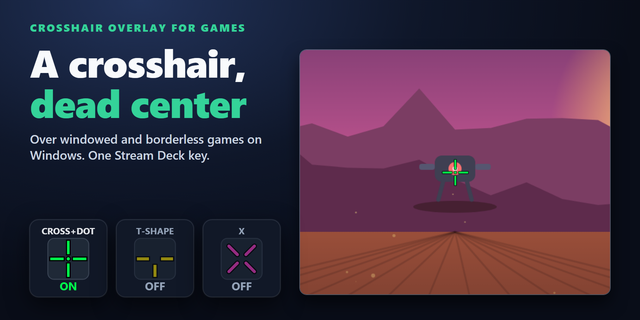
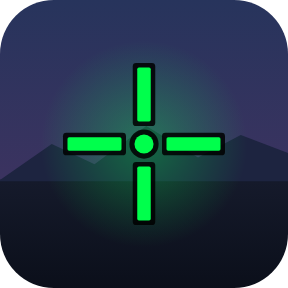
The Crosshair-Sight (Bullseye-Scope) provides a customizable gaming crosshair and aiming reticle as a vector-based transparent crosshair overlay directly over your game.
Choose from over 50 built-in two-color Crosshair Styles, from simple dots and circles to more complex crosshair designs, aiming reticles, and target reticles for FPS and shooter games. Every crosshair can be individually customized in color, opacity, and size, allowing you to fine-tune its appearance and visibility to perfectly match your game and personal aiming preferences.
For full control, you can also create your own custom crosshair using a custom SVG template, which will be used instead of the predefined Crosshair Styles. The result is a lightweight on-screen crosshair overlay that can be customized to match different games, weapons, aiming preferences, and visual styles.
Inspired by the AI Dynamic Crosshair experience found on ASUS ROG and TUF Gaming monitors.
Technical Requirements
Important: Games running in Exclusive Fullscreen mode are not supported. For the Crosshair Overlay to work, the game must run in one of the following display modes:
🖵 Borderless Windowed
🖵 Windowed Fullscreen
🖵 Windowed
Many modern games can be switched to one of these supported modes directly in their graphics settings. For gaming, FPS games, and shooter games, we recommend Borderless Windowed / Windowed Fullscreen. Exclusive Fullscreen is primarily a legacy display mode and is increasingly being replaced in modern games by Borderless Windowed or Windowed Fullscreen.
Disclaimer
The Crosshair-Sight is displayed as a separate transparent overlay on top of the game. It does not modify, replace, or interact with the game itself or its built-in crosshair. Any crosshair or aiming reticle provided by the game remains unchanged and may still be visible underneath the Crosshair-Sight overlay.
Intital Release
Version 1
Sep 15, 2026
Details
Type
Gaming
OS
Windows
Compatibility
Stream Deck 7 or later
Size
109.02 MB
Version
1
Language
English
Support
Profiles
No
Dial support
No
You might also like