Productivity
CutDeck – for DaVinci Resolve
Overview
CutDeck for DaVinci Resolve turns your Stream Deck into a configurable editing control surface for faster timeline work on Windows. Put 41 editing commands across 8 actions at your fingertips, choose a function for every key and keep your attention on the edit.
✨ NEW IN V3
Three ready-made starter profiles
Get started with Quick Edit, Trim or Review & Markers, each with 15 keys arranged for its workflow. Choose a profile in the Property Inspector and click Use profile. Your existing profiles stay in place, and you can still create your own layout.
Bring Resolve to the front with your next key press
Enable “Activate Resolve before running a command” under General. This single global option applies to all CutDeck keys and brings an already-open Resolve window to the front before running the command. It starts off after an update. CutDeck sends the command only after Resolve is confirmed in front.
Clearer help and built-in checks
English and German command explanations help you choose the right function. Built-in checks show whether CutDeck is ready and Resolve is in front, without running an editing command.
⚡ ALL 41 COMMANDS · 8 CONFIGURABLE ACTIONS
▶ Transport & Playback
JKL shuttle reverse, pause and forward; play/pause; normal speed; timeline start; previous/next frame; previous/next cut.
✂ Razor & Split
Split at the playhead, Blade tool and Selection tool.
↔ Trimming
Trim Edit mode, Extend Edit to Playhead and Slip/Slide tool.
🎬 In/Out & 3-Point Edit
Set In and Out points, clear In, clear Out, clear both, mark a clip, Insert, Overwrite and Replace.
🧩 Gap & Clip Management
Ripple delete, enable/disable clips, toggle snapping, link/unlink clips and toggle linked selection.
↩ Undo & History
Undo and Redo.
🔍 Timeline Zoom & View
Zoom in, zoom out, fit the timeline, Cinema Viewer and Match Frame.
◆ Edit Markers
Add a marker, navigate to the previous/next marker and delete a marker.
⚙️ CONFIGURE EVERY KEY
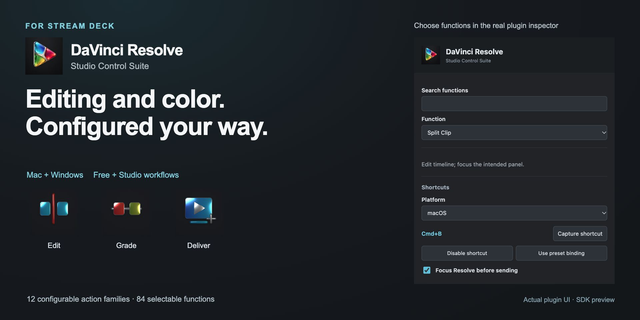
Assign a category action to a Stream Deck key, then select its command in the Property Inspector. The key icon updates automatically to match your selection. Custom titles, custom images and Stream Deck Multi-Actions are supported.
The interface follows your Stream Deck language in English or German. V3 keeps all existing commands, familiar key icons and saved function selections. Your existing CutDeck assignments, custom titles and images stay in place when you update, so you can continue using your setup without reassigning your keys.
✅ REQUIREMENTS & IMPORTANT NOTES
• Windows 10 or 11. Windows only; macOS is not supported.
• Stream Deck 7.5 or later.
• DaVinci Resolve with its default keyboard shortcut preset. Custom mappings and alternative keyboard layouts may differ.
• Commands require Resolve to be the active foreground application. You can bring it forward yourself or enable the optional global activation setting.
• Automatic activation requires Resolve to be open. CutDeck does not launch Resolve.
• The included starter profiles require a compatible 15-key Stream Deck with a 5 × 3 layout.
• Key actions only; no dial controls.
CutDeck is an independent third-party product and is not affiliated with, endorsed by or sponsored by Blackmagic Design. DaVinci Resolve is a trademark of Blackmagic Design Pty. Ltd.
CutDeck 3.0 makes your editing setup easier to start and easier to use.
Three starter layouts included: Quick Edit, Trim and Review & Markers, each with 15 keys. Pick a layout in the Property Inspector and choose Use profile. Your existing profiles stay in place.
Optional Resolve activation: enable Activate Resolve before running a command under General. It applies to all CutDeck keys and brings an already-open Resolve window to the front before running the command. The option starts off after an update.
Clearer help in English and German explains all 41 functions. Built-in checks show whether CutDeck is ready and Resolve is in front.
Your existing CutDeck assignments, function selections, custom titles and images stay in place. All 41 functions and familiar key icons remain available.
Requires Windows 10 or 11 and Stream Deck 7.5 or later. Uses Node.js 26, supplied by Stream Deck. Starter layouts require a compatible 15-key Stream Deck. Resolve must use the expected default shortcuts.
Version 3
Oct 22, 2026
Details
Type
Productivity
Video
OS
Windows
Compatibility
Stream Deck 7.5 or later
Size
1.05 MB
Version
3
Language
English
German
Support
Dial support
No
Neo Infobar support
No
Profiles
Yes
Additional links
You might also like