Creative Tools
DaVinci Resolve Fastlane (Stream Deck MK2)
by FlowKits
Overview
🎮 DaVinci Resolve Stream Deck MK2 - The ultimate DaVinci Resolve profile for editors who want to create, not memorize shortcuts! --
Now with DaVinci Resolve 21 Photo workspace support.
The profile includes a dedicated Photo page covering the actions you actually press when culling: pick and reject flags, star ratings 0 to 5, rotate, flip, viewer-controls toggle, album panel, and playback quality presets.
Photo workspace shortcuts are unbound by default in DaVinci Resolve. Importing the updated keyboard preset auto-binds them so the Photo page works out of the box. Using DR 20 or earlier? The rest of the profile is unchanged.
--
Every second hunting through Resolve's menus is a second you could be editing, grading, or mixing. DaVinci Resolve Fastlane puts your entire toolkit under your fingertips ⚡
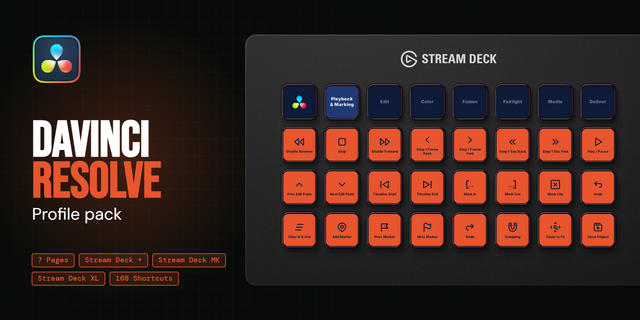
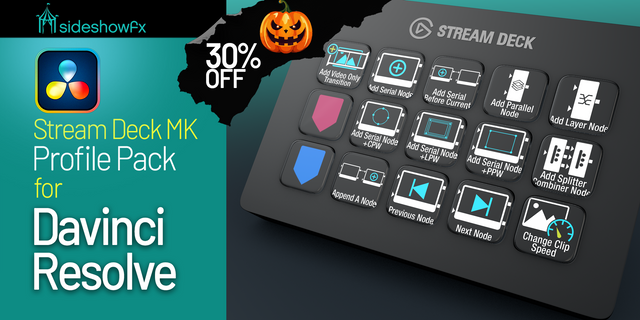
✅ Single tap to blade, ripple, or add a node. ✅ Bottom row navigation scrolls sideways to every workflow page. ✅ 17 workflow-optimized pages. 800+ icons. ✅ Works with Resolve Free & Studio.
Why You'll Love It
Nobody remembers Alt+Shift+Right to nudge a clip mid-edit. DaVinci Resolve Fastlane removes that friction so every shortcut you wish you could remember is now a single button press. We didn't just dump every Resolve shortcut onto a Stream Deck: the most useful tools are placed up front where your fingers naturally land, grouped so that after a few sessions your hands know where to go before your eyes do.
Navigation That Keeps Up With You
With 15 keys across 17 pages, navigation needs to be smart. The bottom row is your persistent dock: it stays locked on every page and scrolls sideways so every workflow page is reachable without going back to a home screen. Tap left or right to browse, tap a page to jump straight in. You're never more than a couple of taps from any tool in the profile.
What's Included
17 thoughtfully designed layouts covering Edit, Cut, Color, Fusion, Fairlight, Deliver, Media Pool, Timeline, Effects, Markers, and more.
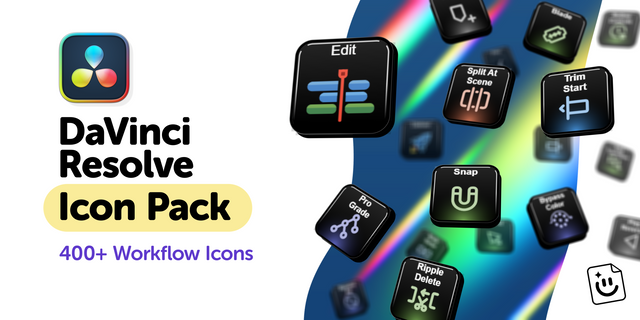
800+ key icons, with and without labels.
Color-coded categories for quick visual recognition.
Editable text labels (change to your language or preference).
Keyboard shortcut presets for QWERTY, QWERTZ, and AZERTY.
Setup guide.
Windows and Mac compatible. Works with DaVinci Resolve (free) and Studio.
Quick Installation
Import the keyboard preset for your layout (QWERTY, QWERTZ, or AZERTY).
Double-click the Stream Deck file to import the profile.
Open DaVinci Resolve and start editing.
This Stream Deck profile is an independent creation and is not affiliated with, endorsed by, sponsored by, or officially connected to DaVinci Resolve or Blackmagic Design. DaVinci, DaVinci Resolve, Fairlight, and related page names, icons and logos are trademarks of Blackmagic Design, used solely to identify compatibility.
Updated for DaVinci Resolve 21.1 (Stream Deck)
New Printer Lights On/Off key in the Printer Lights folder, taking the slot from Bypass Color Grading (still on Ctrl+Shift+B). The page was full, and the eight printer keys do nothing without it.
Keyboard preset rebuilt for Resolve 21.1. Re-import it: the old one predates the Photo page and stripped shortcuts 21 added.
Version 1.2.5
Sep 15, 2026
Details
Type
Creative Tools
Productivity
Video
Device
Stream Deck MK
OS
macOS
Windows
Compatibility
Stream Deck 7.1 or later
Size
17.21 MB
Version
1.2.5
Support
Icons
Yes
Additional links
You might also like
-thumbnail-optimized-729da06c-c9d1-4e53-94f3-b9df82743e4a.png)
-thumbnail-optimized-9af32b0c-76e1-47e8-b3ac-521eb88b3b2d.png)
-thumbnail-optimized-304e1ec8-9617-4016-99ac-c3d8e9d1e73e.png)
-thumbnail-optimized-03599edd-008c-4d1a-bc32-e2d849491310.png)