Creative Tools
DaVinci Resolve Fastlane (Stream Deck Neo)
by FlowKits
Overview
🎬 Stream Deck Neo: The complete DaVinci Resolve profile for editors and colorists who'd rather create than memorize shortcuts!
Every second hunting through Resolve's menus is a second you could be cutting, grading, or mixing. DaVinci Resolve Fastlane puts your whole workflow under eight keys and keeps it there ⚡
--
✅ 9 color-coded pages, one per workspace: Scrubber, Media, Photo, Cut, Edit, Fusion, Color, Fairlight, Deliver.
✅ Every one of the 8 keys is a real tool. Page switching lives on the Neo's touch buttons, so nothing is wasted on navigation.
✅ Hidden double-press actions baked in: tap Apply Grade once, tap twice for Auto Color. Same for Save / Save As, Blade / Blade All, and more.
✅ One tap jumps the Stream Deck page and the Resolve workspace together, so they never fall out of sync.
✅ Built and tested for DaVinci Resolve 21 (Free and Studio), Windows and Mac.
--
⚡ Why You'll Love It
Nobody wants to dig for the node menu mid-grade. Jump to the Color page, drop a serial, parallel, or layer node, grab a still, and pop the scopes, all without reaching for the keyboard.
The Scrubber home page keeps Mark In, Mark Out, Blade, and full transport under your fingers while you scrub, so the moves you make on every clip never move on you. Build that into muscle memory once and your hands know where to go before your eyes do.
--
🧭 Built for the Neo
The Neo's two touch buttons step through all 9 pages, left and right, so all 8 keys stay dedicated to actual work instead of folder navigation. The info bar shows you exactly which workspace you're in. Eight keys, zero clutter, every button earns its place.
--
📦 What's Inside
🗂️ 9 color-coded workspace pages: Scrubber, Media, Photo, Cut, Edit, Fusion, Color, Fairlight, Deliver.
🎯 70+ mapped actions, every key chosen based on how much time it saves you.
🔁 Hidden double-press actions: Apply Grade / Auto Color, Save / Save As, Blade / Blade All, Import / Generate Optimized Media, Grab Still / Play Still, and more.
🎞️ Proxy controls on the Deliver page: Half, Quarter, Off, then Quick Export.
🌈 Color-coded pages matched to Resolve's own workspace colors for instant recognition.
🏷️ Editable text labels in any language.
💻 Windows and Mac compatible, with the correct modifier keys automatically.
--
🚀 Quick Install
1️⃣ Extract the .zip file.
2️⃣ Double-click the Stream Deck file (.streamDeckProfile) to import the profile.
3️⃣ Open DaVinci Resolve and start creating. Built around Resolve's default keyboard shortcuts, so there's nothing extra to set up.
--
📥 What's Included
✅ DaVinci Resolve Fastlane Profile for Stream Deck Neo (.streamDeckProfile)
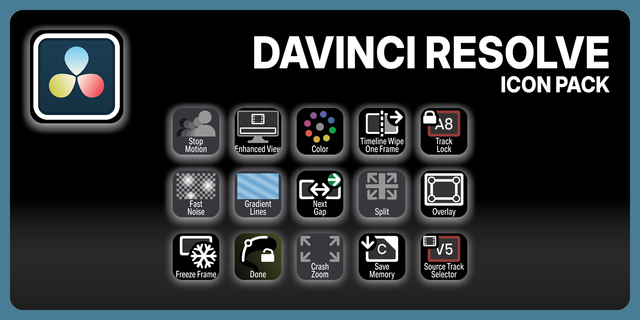
✅ Complete icon library
✅ Setup guide
--
🎯 Perfect For
YouTubers cutting and grading daily uploads. Wedding and event editors on tight deadlines. Anyone who'd rather create than hunt for shortcuts.
🎬 One profile. 9 workspaces. Less Hunting, More Creating.
--
Disclaimer
This Stream Deck profile is an independent creation, not affiliated with or endorsed by Blackmagic Design. DaVinci Resolve and the DaVinci Resolve logo are trademarks of Blackmagic Design Pty Ltd, used solely to identify compatibility.
Updated for DaVinci Resolve 21.1 (Stream Deck Neo)
Keyboard preset rebuilt for Resolve 21.1. Re-import it: the old one predates the Photo page and stripped shortcuts 21 added.
Version 1.2.5
Sep 15, 2026
Details
Type
Creative Tools
Device
Stream Deck Neo
OS
macOS
Windows
Compatibility
Stream Deck 7.1 or later
Size
14.96 MB
Version
1.2.5
Support
Icons
Yes
Additional links
You might also like
-thumbnail-optimized-304e1ec8-9617-4016-99ac-c3d8e9d1e73e.png)
-thumbnail-optimized-4f824dbe-f8be-4e06-8f0b-b2726b0a1481.png)