Artistic
Kolorofon
by Mellazure
Overview
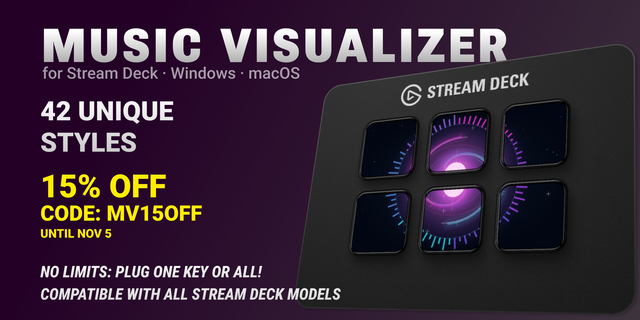
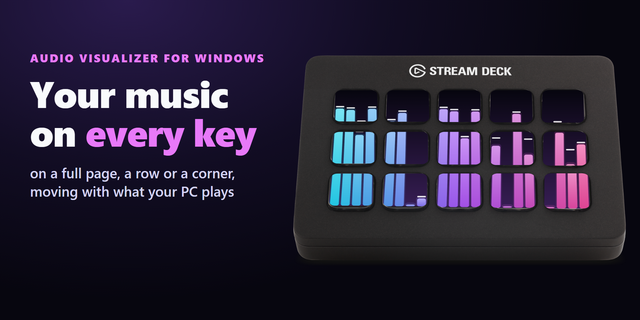
TURN YOUR STREAM DECK INTO A LIVE MUSIC VISUALIZER See your music across your entire Stream Deck. Kolorofon turns your keys into one seamless animation that pulses, moves, and changes color with your audio. It reacts to music, games, movies, and any sound playing on your computer. On Windows, it automatically follows your default audio output, even when you switch to headphones mid-track. Drag the Kolorofon key onto your profile and launch the visualizer with a single press. ELEVEN EFFECTS. ELEVEN WAYS TO FEEL THE MUSIC.
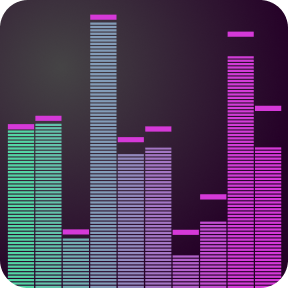
Bars: A full-deck spectrum analyzer, from deep bass to crisp highs.
Amoeba: An organic shape that breathes, stretches, and pulses with your music.
Disco: Dancers, spotlights, and choreography generated live from the track’s tempo, energy, and accents. An experimental effect under active development.
Lava: Glowing blobs drift like a lava lamp, set in motion by bass and beats.
Curve: A glowing spectrum line flows across the keys against a black background.
VU Meter: A classic level meter in green, yellow, and red, with a needle that moves like a real VU meter.
Clocks: Every key is a clock, and the hands form lines, waves, and whirls depending on the mood of the track.
Pendulums: A wave of pendulums swaying to the tempo of the music; a strong hit kicks them sideways.
Storm: An electric arc across the whole deck, with bass on the left and treble on the right; on a strong hit it flashes and branches.
Trails (new): Three light cycles for bass, mids, and highs race across the deck and turn on the beat, leaving neon trails that slowly fade.
Volcano (new): A volcano erupting at night. The bass drives the plume, lava rivers pulse with the tempo, embers fly on every hit, and the drop sets off a huge eruption.
More effects are coming in future updates. YOUR COLORS. YOUR CONTROLS. Choose from 9 color themes or create your own gradient. Switch effects and themes directly on your Stream Deck, or turn off the visualizer with a single press. The control bar appears when you press any key and automatically disappears after a few seconds. Don’t need every effect or theme? Hide the ones you don’t use in the plugin settings, and they will be skipped when you switch. On Stream Deck + XL, you can also use the dials. Have multiple decks? Give each one its own effect and colors. A MINI VISUALIZER AT YOUR FINGERTIPS Enable the animated icon to turn your launcher key into a mini equalizer that runs in your regular profile. When the music fades, the bars smoothly settle into the Kolorofon logo. REQUIREMENTS
Windows 10 or later, or macOS 13.5 or later on Apple Silicon or Intel.
Stream Deck, Stream Deck MK.2, Stream Deck XL, or Stream Deck + XL. At least 15 keys required.
MACOS: ONE-TIME AUDIO SETUP Download the free BlackHole 2ch driver using the Download BlackHole button in the plugin settings, then install it. Launch Kolorofon, allow microphone access, and click Set up audio. This permission is used to receive system audio. Kolorofon does not record your voice. With this setup, keyboard volume keys do not work. Adjust the volume in the app playing your audio. WARNING Kolorofon displays rapidly changing lights and colors. It may not be suitable for people with photosensitive epilepsy or sensitivity to flashing lights. If that applies to you, consult a doctor before use or do not use the plugin. HAVE AN IDEA OR NEED HELP? Email mellazure.studio@gmail.com. I read every message, and good ideas make their way into updates.
Kolorofon 1.5: two new effects and a fresh look for the settings.
Trails: glowing streaks race across your deck, speed up on loud hits and turn on a big drop.
Volcano: a crater throws sparks and smoke to the beat, with a shockwave on a big drop.
Refreshed settings panel: effect icons, gradient theme swatches and tidy collapsible sections.
Edit: hide the effects and themes you never use.
Version 1.5
Nov 11, 2026
Details
Type
Artistic
Audio
Gaming
Lighting
Music
OS
Mac
Windows
Compatibility
Stream Deck 7.1 or later
Size
2.76 MB
Version
1.5
Language
English
Support
Neo Infobar support
No
Dial support
Yes
Profiles
Yes
You might also like