Lighting
LIFX
Overview
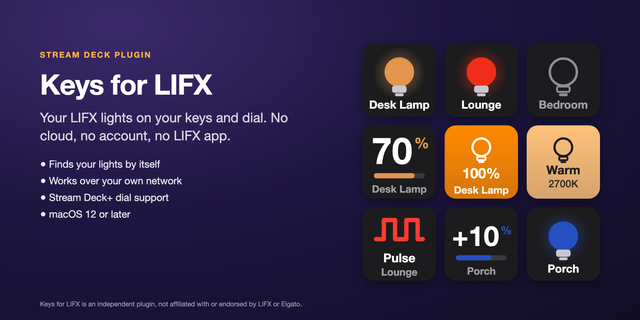
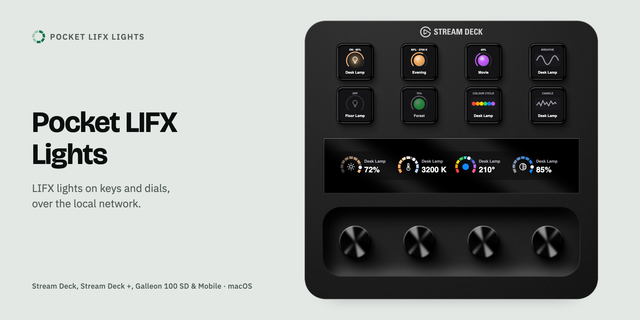
Control your LIFX smart lights directly from your Elgato Stream Deck with instant, customizable lighting actions. Adjust brightness, trigger scenes, change colors, and toggle power across individual bulbs or entire rooms with a single key press or dial turn. **How It Works This plugin connects to your LIFX lights via [the LIFX Cloud API using a Personal Access Token / local LAN discovery for zero-latency control]. Once authenticated in the Property Inspector, your lights, groups, and scenes automatically populate in dropdown menus so you can assign them to any key or dial. **Included Actions
Power Toggle / Set Power: Turn individual lights, groups, or locations on and off, with optional transition duration.
Set Color & Temperature: Set specific HSBK values, hex colors, or Kelvin white temperatures (1500K to 9000K).
Brightness Control: Set exact brightness percentages or step brightness up and down using keys or Stream Deck + dials.
Activate Scene: Trigger any saved scene from your LIFX account.
Pulse / Breathe Effects: Flash or pulse your lights in a chosen color for stream alerts or notifications. **Requirements
LIFX smart lights configured in the LIFX app.
[A free LIFX Cloud Personal Access Token (generated at cloud.lifx.com) / Local network connection on the same subnet as your lights].
Stream Deck 7.1 or later.
Initial Release (v0.1.0.0)
6 Core Lighting Actions: Added Toggle Power, Set Light State, Adjust Light State (Dial), Activate Scene, Light Effects, and Cycle States.
Stream Deck + Support: Full rotary dial control for stepping brightness, color temperature, and hue.
Live Target Discovery: Automatic Property Inspector dropdown population for individual lights, groups, locations, and saved scenes via LIFX Personal Access Token.
UI & Icons: Updated all category and action list icons to monochrome white per Stream Deck SDK guidelines.
Version 0.1
Oct 22, 2026
Details
Type
Lighting
Smart Home
OS
Mac
Windows
Compatibility
Stream Deck 7.1 or later
Size
77.65 KB
Version
0.1
Language
English
Support
Neo Infobar support
No
Profiles
No
Dial support
Yes
You might also like