Audio
LumaDeck
Overview
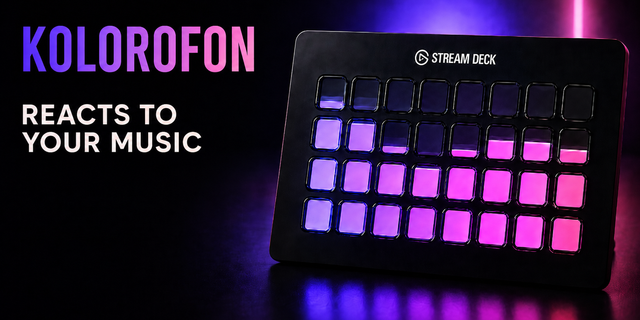
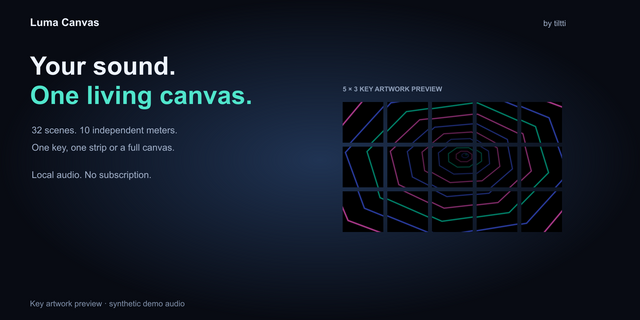
I wanted my Stream Deck to have something to do when I wasn’t using shortcuts. That’s how LumaDeck started: an audio visualizer that turns all 15 keys of the Stream Deck MK.2 into one continuous display.
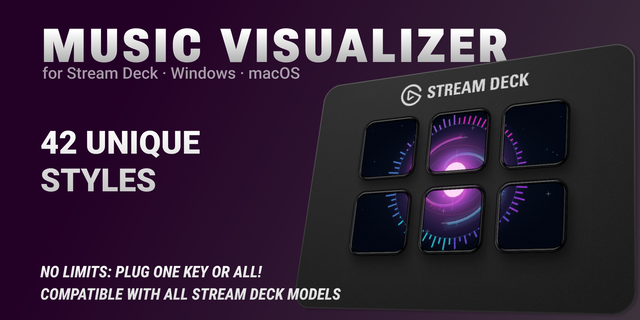
LumaDeck reacts to your sound—whether that’s all your PC audio or just your games or music. Choose from ten visualizations, including classic equalizer bars, waves, and particles. Adjust the colors, sensitivity, and motion to suit your desk and your taste.
Setup happens right on your Stream Deck: drag the Setup action onto a key, press it, and confirm the profile import. All 15 keys are then ready to go. Use the keys to switch between modes, colors, and audio sources. You can also enable interactive animations that respond to your key presses.
What’s included:
Ten visualizations spanning all 15 keys
Audio selection for system sound, games, or music
Adjustable colors and sensitivity
Automatic level adjustment for quieter and louder audio
Interactive wave and particle effects
Press and hold a key to pause
No additional audio driver required
Built for Windows 11 and the Stream Deck MK.2. Requires Stream Deck 6.9 or later.
LumaDeck started as something I wanted for my own setup. If you have an idea for what else could look good on those 15 keys, I’d love to hear it.
_______________________________________________________________________________________________________
Ich wollte, dass mein Stream Deck auch dann etwas zu tun hat, wenn ich gerade keine Shortcuts brauche. Daraus ist LumaDeck entstanden: eine Audio-Visualisierung, die alle 15 Tasten des Stream Deck MK.2 zu einer gemeinsamen Fläche verbindet.
LumaDeck reagiert auf deinen Sound – wahlweise auf das gesamte PC-Audio oder gezielt auf Spiele und Musik. Zehn Visualisierungen stehen zur Auswahl, von klassischen Equalizer-Balken über Wellen bis hin zu Partikeln. Farben, Empfindlichkeit und Bewegung kannst du so einstellen, wie es zu deinem Schreibtisch und deinem Geschmack passt.
Die Einrichtung geht direkt am Stream Deck: Setup-Aktion auf eine Taste ziehen, drücken und den Profilimport bestätigen. Danach ist die komplette Fläche eingerichtet. Über die Tasten kannst du zwischen Modi, Farben und Audioquellen wechseln. Optional reagieren die Animationen auch auf Tastendrücke.
Das steckt drin:
Zehn Visualisierungen über alle 15 Tasten
Audioauswahl für Gesamtaudio, Spiele oder Musik
Einstellbare Farben und Empfindlichkeit
Automatische Pegelanpassung für unterschiedlich laute Inhalte
Interaktive Wellen und Partikeleffekte
Pause durch langes Drücken einer Taste
Kein zusätzlicher Audiotreiber nötig
Entwickelt für Windows 11 und das Stream Deck MK.2. Benötigt Stream Deck 6.9 oder neuer.
LumaDeck ist aus einem eigenen Wunsch entstanden. Wenn du eine Idee hast, was noch gut auf diese 15 Tasten passen würde, freue ich mich über dein Feedback.
LumaDeck — Initial Release · Version 0.5.0
Turn your Stream Deck keys into one continuous audio visualization.
Automatic device detection: Supports Stream Deck Mini (6 keys), Stream Deck / MK.2 (15 keys), and Stream Deck XL (32 keys), with layouts adapted to each device.
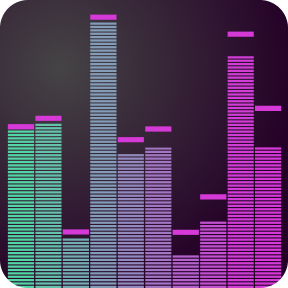
10 visualizations: Spectrum bars, mirrored bars, waveform, stereo levels, bass pulse, color matrix, spectrum ring, waterfall, beat waves, and particles.
Flexible audio capture: React to system audio, a selected game, or a music app. Automatic mode prioritizes your game and switches to music when it closes.
Custom appearance: Adjust colors, brightness, sensitivity, smoothing, bass emphasis, and motion. Use included presets or save your own.
Interactive effects: Trigger light waves with key presses, even in silence.
On-device controls: Switch modes and colors; press and hold to pause. Audio source switching is available on devices with three or more rows.
Quick setup: The Setup key opens the matching device profile.
Multiple decks: Separate displays with shared audio source and settings.
Automatic localization: English and German, following your Stream Deck language.
Audio is analyzed locally and never recorded. No extra audio driver required.
Requires: Windows 11 x64 and Stream Deck 6.9+. Neo and Stream Deck + are not supported.
Screenshots show a selection of the available effects.
Version 0.5
Sep 29, 2026
Details
Type
Audio
Gaming
Music
OS
Windows
Compatibility
Stream Deck 6.9 or later
Size
55.24 KB
Version
0.5
Language
English
German
Support
Neo Infobar support
No
Dial support
No
Profiles
Yes
You might also like