Monitoring

Network Quality

Overview

Run Apple's built-in networkQuality speed test right from your Stream Deck. Press a key to measure your internet download speed, upload speed, and responsiveness (RPM) latency under load with color-coded results shown directly on the key. It's free and open source, with no accounts, API keys, or third-party servers.

Features:

One-press testing with a live progress animation (~15 seconds)

Download, upload, and responsiveness (RPM) at a glance, color-coded for quick reading

Auto-refresh on a configurable interval (every N minutes)

Choose units (Auto / Mbps / Gbps), parallel or sequential mode, and a specific network interface

Optional routing through iCloud Private Relay

Latest results stay on the key after each test, so your numbers are always visible

Requirements:

macOS 12 (Monterey) or later — uses the networkQuality tool built into macOS

Stream Deck app 7.1 or later

Initial release

Network Quality puts macOS's built-in networkQuality test on a Stream Deck key.

Press to run a real measurement and see three things at a glance:

↓ Download throughput

↑ Upload throughput

RPM — responsiveness under load, color-coded green / amber / red

• One-press test with a live animation while it runs (~15s)

• Optional auto-refresh on an interval

• Configurable units (Mbps/Gbps), parallel/sequential mode, network interface, and iCloud Private Relay

Requires macOS 12 or later. Free and open source.

Version 0.1

Jun 29, 2026

Details

Type

Monitoring

Utilities

OS

Mac

Compatibility

Stream Deck 7.1 or later

Size

47.43 KB

Version

0.1

Language

English

Support

Profiles

No

Dial support

No

Additional links

You might also like

  • Speed Test
    Speed Test app icon

    Speed Test

    by BarRaider

    ∙

    Utilities

    Run a Speedtest.Net speed test directly from you Stream Deck....

    Free

  • Speedtest Tracker
    Speedtest Tracker app icon

    Speedtest Tracker

    by MrAndersenDK

    ∙

    Utilities

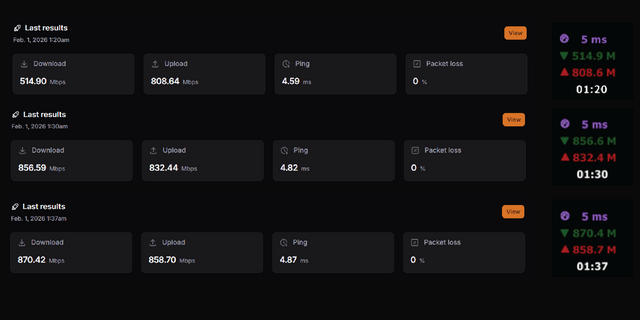
    Displays latency, network speed, and the time of the latest speedtest performed by your Speedtest Tracker server. You ca...

    Free

  • Network Pulse
    Network Pulse app icon

    Network Pulse

    by SENTINELITE

    ∙

    Monitoring

    Network Pulse (macOS ONLY) puts internet speed & connection health on your Stream Deck. It runs Apple's built-in network...

    $8.99

  • Sho Metrics - System Monitoring
    Sho Metrics - System Monitoring app icon

    Sho Metrics - System Monitoring

    by Sho Metrics

    ∙

    Monitoring

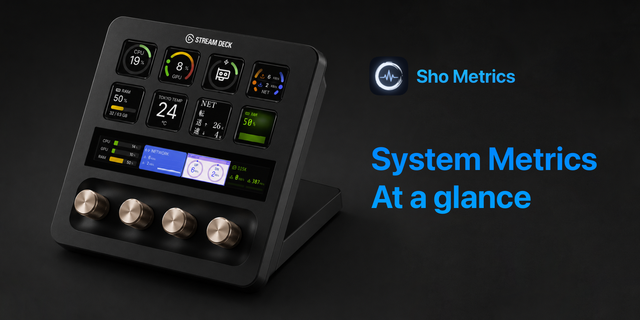
    Sho Metrics turns your Stream Deck into a live system monitoring dashboard. It's free, open source, and available for bo...

    Free

  • i-net CoWork
    i-net CoWork app icon

    i-net CoWork

    With the i-net CoWork extension for Stream Deck, meetings can be controlled easily and effectively. Even starting calls ...

    Free

  • Speedtest
    Speedtest app icon

    Speedtest

    by FCAN

    ∙

    Utilities

    Run Speedtest and display the latest download, upload, and latency results on a Stream Deck key. Download the CLI: Get t...

    $10.00

  • Web Analytics
    Web Analytics app icon

    Web Analytics

    by Hypercode

    ∙

    Business

    Web Analytics for Stream Deck keeps the metrics that matter visible at a glance. Add separate Matomo, Plausible, and Fat...

    Free

  • RAM
    RAM app icon

    RAM

    Displays the current memory usage. Key Features: Displays real-time RAM usage percentage or used/free memory amount Work...

    Free