Engagement
NO Session Control
by FortiMind
Overview
For Stream Deck + on Windows · Compatible with NeurOptimal®
NO Session Control turns the Elgato Stream Deck + into a dedicated command surface for NeurOptimal® neurofeedback sessions, so practitioners can stay present with the client instead of navigating menus mid-session.
(14) Fourteen purpose-built actions map every routine step of a session to a physical key, dial, or touchscreen control.
Start and Pause sessions, Select Clients, Launch Video, Record session Memos, adjust Volume, and Signal for tech Support
— all without looking away from the chair.
The four rotary dials surface live session state directly on the LCD touch strip: Session Timer countdown, Volume level, Media Selector, and a Mood Tracker the client can drive themselves. A fifth dial action provides a custom analytics readout.
Connection runs at the OS level via USB HID using NeurOptimal's default keyboard shortcuts. No modifications to NeurOptimal® required, no API dependency, no installation risk.
WHAT'S INCLUDED
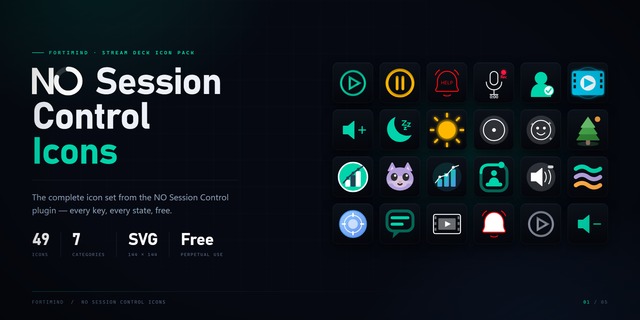
9 keypad actions: Wake, Play Session, Pause Session, Play Video, Record Memo, Call Tech, Client Selector, Volume Up, Volume Down
5 encoder/dial actions: Session Timer, Volume Control, Media Selector, Mood Tracker, Analytics Dial
Custom LCD touchscreen layouts for every dial
Recommended Stream Deck + profile, ready to import
REQUIREMENTS
Elgato Stream Deck Plus (8 LCD keys, 4 rotary dials, LCD touch strip)
Stream Deck software 6.9 or later
Windows 10 or later, 64-bit (macOS not supported)
NeurOptimal® with default keyboard shortcuts enabled
SUPPORT Built and supported by FortiMind LLC. Questions before purchase: info@fortimind.net
NeurOptimal® is a registered trademark of Zengar Institute Inc. NO Session Control is an independent product developed by FortiMind LLC and is not affiliated with, endorsed by, or sponsored by Zengar Institute Inc.
# NO Session Control — v2.3.2
Welcome. Our first public release brings NeurOptimal® Session Control to the Stream Deck +, so you can stay present with your client rather than navigating menus.
During the session — for them
Play and pause, volume by key or dial, time remaining on the LCD, gentle slideshows and Box Breathing Guide, and a Call Tech key for when they'd like you nearby. Between clients, the deck rests and dims itself.
After the session — for you
Mood check-ins, voice memos and session history gather per client, ready when you review. Everything stays on your own machine.
Made to stay out of the way
It drives the software you already run. Nothing about your protocols or settings changes, and the deck in your client's hands carries client-safe controls only.
Included
All 14 actions (9 keys, 5 dials), custom LCD layouts for every dial, a Stream Deck + profile ready to import, and the full slideshow library.
You'll need
- Stream Deck + and Stream Deck software 6.9 or later
- Windows 10 or later, 64-bit (macOS not supported)
- NeurOptimal® 3.5.x
Thank you for letting us share this experience. Built alongside a working practice; we'd love to hear how it lands in yours: support@fortimind.net
NeurOptimal® is a registered trademark of Zengar Institute Inc. NO Session Control is an independent product by FortiMind LLC, not affiliated with, endorsed by, or sponsored by Zengar Institute Inc.
Version 2.3.2
Aug 28, 2026
Details
Type
Engagement
Productivity
Utilities
OS
Windows
Compatibility
Stream Deck 6.9 or later
Size
108.64 MB
Version
2.3.2
Language
English
French
Spanish
Support
Profiles
Yes
Dial support
Yes
Additional links
You might also like