Gaming
OSRS Tools
Overview
OSRS Tools is a real-time Old School RuneScape stat tracker for Stream Deck.
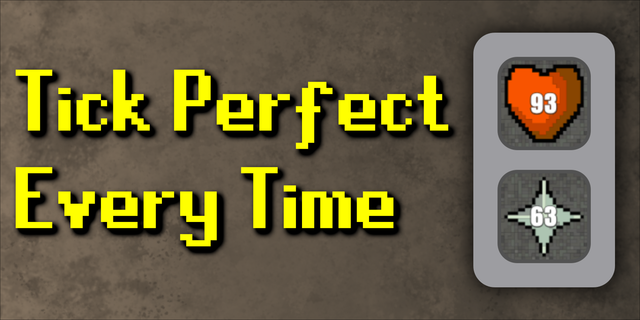
By connecting directly to your RuneLite client, each Stream Deck key becomes a live performance dashboard for your character. Track XP gains, monitor efficiency, watch your level progress, and even keep an eye on your Hitpoints — all without leaving the game.
Perfect for long grinds, combat sessions, and streaming.
Features
🧮 Live XP Tracking
Buttons update instantly when XP is gained, showing real-time progress for the selected stat.
📊 XP/Hour Monitoring
Each button now displays your live XP per hour, helping you track efficiency and optimise your training.
🗂 Session Tracking
Monitor:
Total XP gained this session
XP gained in the last 10 seconds Perfect for measuring consistency and short-term activity bursts.
💍 Level Progress Ring
The outer ring of each button acts as a visual progress bar toward your next level, giving instant feedback on how close you are to leveling up.
🎨 Visual Activity Feedback
Buttons change colour during XP drops so you can immediately see when a skill is active.
✨ Level-Up Alerts
A gold flash animation plays on the button whenever you level up the assigned skill.
🔄 Rotating Stat Mode
Track multiple stats on a single button.
Automatically switches to the stat that most recently gained XP
Manually cycle between selected stats by pressing the button Ideal for compact Stream Deck layouts or multi-skill training.
❤️ Hitpoints Tracking
A dedicated Hitpoints option displays your current health.
Background colour increases in redness as HP decreases
Flashes when below 10% health to alert you in dangerous situations
⚙️ Fully Automatic
Once configured, everything runs hands-free with no manual refreshing required.
🚀 Improved Performance
Async timer system for smoother, more responsive updates
Optimised background handling
Fixed high memory usage issue for improved long-session stability
Installation
Stream Deck Install OSRS Tools from the Elgato Marketplace.
RuneLite Install and enable the HTTP API plugin from the RuneLite Plugin Hub.
Setup
Open RuneLite and ensure the HTTP API plugin is enabled.
Open Stream Deck and drag an OSRS Tools action onto a key.
In the Property Inspector:
Server URL Set this to localhost:8080 (same PC) or the IP address of the machine running RuneLite.
Stat ID Select the skill you want to track on that button.
Usage
Once set up, simply play the game.
The button remains idle until XP is gained. When XP is detected, it automatically updates XP values, changes colour during activity, and plays a gold flash on level-up.
Troubleshooting
If buttons show “Offline” or do not update, check the following:
🛠 HTTP API Port The default port is 8080. If this was changed in RuneLite, update the Stream Deck Server URL accordingly (for example: localhost:8080).
🧱 Firewall / Network If RuneLite and Stream Deck are running on different machines, ensure your firewall allows local network traffic.
⏳ First XP Drop Buttons may remain idle until the first XP gain after launch. Gain a small amount of XP to initialise tracking.
🔄 Updates Ensure RuneLite and the HTTP API plugin are fully up to date after OSRS updates.
FAQ
❓ Can I track multiple skills at once? Yes. Add multiple OSRS Tools actions and assign a different skill to each key.
📱 Does this work with OSRS Mobile? No. This plugin requires RuneLite and is desktop-only.
🛡 Is this allowed by Jagex? Yes. OSRS Tools only reads data exposed by RuneLite’s API and does not interact with or control the game client.
✨ My level-up didn’t flash gold Make sure the correct skill is assigned to that button. Level-up animations are skill-specific per key.
🔄 New: Rotating Stat Mode
Assign multiple stats to a single button.
The button automatically switches to the stat that most recently gained XP.
Press the button to manually cycle between selected stats at any time.
Perfect for limited Stream Deck layouts or multi-skill training sessions.
🧠 Performance Improvement
Fixed an issue that could cause excessive memory usage.
Improved stability during long play sessions.
More efficient background handling for stat updates.
Version 0.2.2
Feb 12, 2026
Details
Type
Gaming
OS
Mac
Windows
Compatibility
Stream Deck 6.9 or later
Size
19.99 MB
Version
0.2.2
Language
English
Support
Profiles
No
Dial support
No
Additional links
You might also like