Gaming
Palworld Stream Deck Profile + Icons
by StreamSpell
Overview
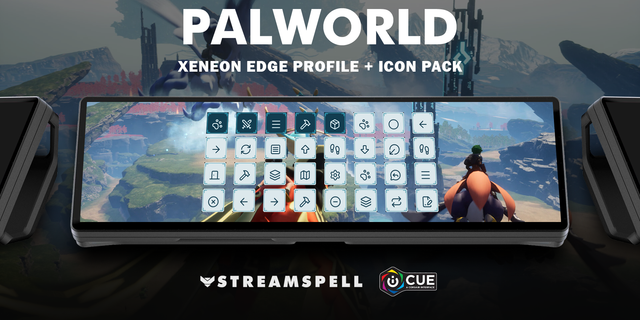
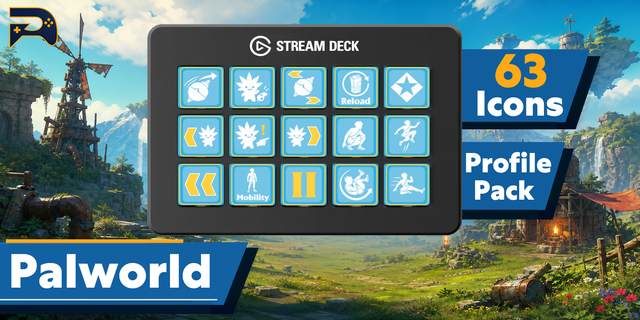
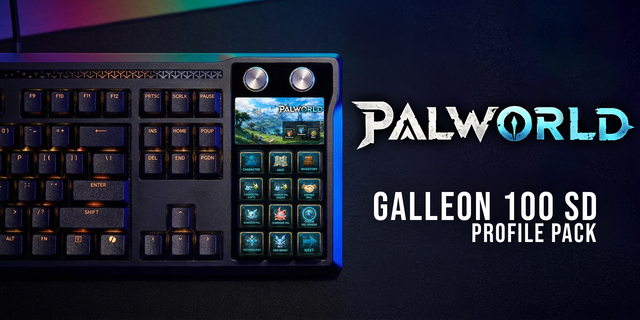
Bring 31 game shortcuts to your Stream Deck. Distinct category colours help you find controls at a glance.
Pals: Summon Pal / Ride Skill 2, Throw selected Pal Sphere, Previous party Pal, Next party Pal, Cycle Pal Sphere, Open Pal command wheel.
Controls: Jump / open equipped glider, Dodge roll, Crouch / slide / Ride Skill 3, Reload weapon, Sprint, Primary interaction, Craft / hold interaction.
Menus: Character / inventory menu, World map, Technology menu, Pal status menu, Open chat, Pause / close current screen, Back / cancel menu, Previous menu tab / Palbox page, Next menu tab / Palbox page.
Building: Open build menu, Switch build / dismantle mode, Toggle building alignment, Toggle replace mode, Switch to painting mode, Favorite highlighted build object.
Storage: Take all from storage, Quick stack into storage, Manage storage.
Includes seven Windows .streamDeckProfile files, an installable .streamDeckIconPack, 2835 matching icons in all category colour variants, and a CSV file with key mappings.
Compatibility: Stream Deck Mini, Neo, MK2, +, + XL, XL and CORSAIR Galleon 100 SD; Windows; Stream Deck app. No additional game mods required.
Use the default Windows keyboard bindings. Keep Toggle Sprint and Single button press for hold interactions disabled for the held actions. Hold the Stream Deck key for Sprint and Craft / hold interaction. Partner skills, mouse attacks and mouse targeting are not automated. Wheel choices, build placement, chat text and confirmation are completed manually in the game. Build and storage keys work only in their matching game screens. No gameplay macros.
Dial controls
Stream Deck +: Previous party Pal/Next party Pal, Previous menu tab / Palbox page/Next menu tab / Palbox page, system volume, Stream Deck brightness. Stream Deck +XL: Previous party Pal/Next party Pal, Previous menu tab / Palbox page/Next menu tab / Palbox page, system volume, Stream Deck brightness, Character / inventory menu/World map, Take all from storage/Quick stack into storage. Galleon 100 SD: Previous party Pal/Next party Pal, Previous menu tab / Palbox page/Next menu tab / Palbox page, system volume, Stream Deck brightness. Rotation sends a short tap for each step; press/touch are not assigned to game commands. Alternative touch strip backgrounds are included.
Not affiliated with or endorsed by the game’s creators.
Updated current-device previews and matching touch strips. Added dial controls using existing source-matched shortcuts, plus system volume/Stream Deck brightness. Existing commands and navigation retained. Alternative strip backgrounds included.
Version 1.1
Oct 22, 2026
Details
Type
Gaming
Device
GALLEON 100 SD
Stream Deck +
Stream Deck Mini
Stream Deck MK
Stream Deck Neo
Stream Deck XL
Stream Deck + XL
OS
Windows
Compatibility
Stream Deck 7.1 or later
Size
21.49 MB
Version
1.1
Support
Icons
Yes
Dial support
Yes
Additional links
You might also like