Development
Pocket Dark Mode & Wallpaper
Overview
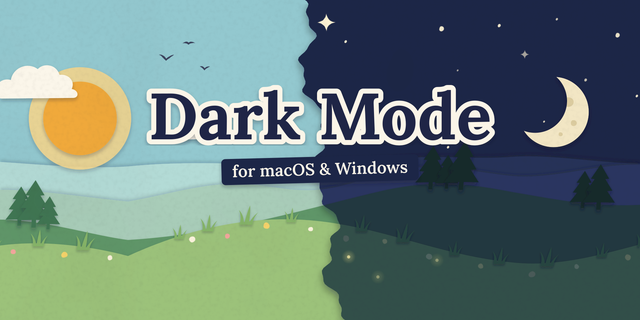
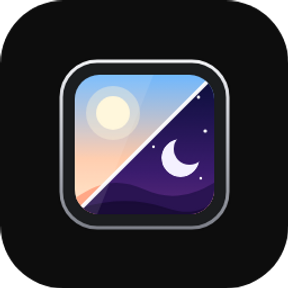
Pocket Dark Mode & Wallpaper switches your computer between light and dark mode and sets the wallpaper that goes with each, from one Stream Deck key or dial. For macOS and Windows.
Appearance
One press switches light or dark mode and the desktop wallpaper together
The key shows the next wallpaper, or both split diagonally, labeled LIGHT or DARK at the top or bottom
Changes made in Settings or by a schedule show on the key within ten seconds
Appearance Dial
Turn left for light mode, right for dark mode; push or tap to switch
The touch strip shows both wallpapers and the mode in use
Wallpapers
Any picture file, on Mac and Windows
On a Mac, choose straight from your Photos library, albums included; the picture is copied, so it keeps working if the photo is moved
Good to know
On a Mac, macOS asks once to let Stream Deck control System Events, which changes the appearance and the wallpaper on every desktop
On Windows, some apps change their theme only after they are reopened
Works on
Every Stream Deck, Stream Deck Mobile and Corsair Galleon 100 SD; dials on Stream Deck +, + XL and Galleon
Requirements
macOS 13 or later, or Windows 10 or later, and Stream Deck 7.1 or later (7.2 for Galleon).
Privacy
The plugin talks only to your computer's own settings and sends nothing anywhere. Not affiliated with Apple or Microsoft.
Support
support@pocketmoney.freshdesk.com. Please mention the plugin name.
First release.
• Appearance: one press switches between light and dark mode and sets the wallpaper that goes with each
• The key shows the wallpaper the next press turns on, or both split diagonally, labeled LIGHT or DARK at the top or bottom
• Appearance Dial for Stream Deck +: turn left for light, right for dark, push or tap to switch; the touch strip shows both wallpapers
• Wallpapers from any picture file, and on a Mac from your Photos library
Requires macOS 13 or later or Windows 10 or later, and Stream Deck 7.1 or later.
Version 1
Oct 27, 2026
Details
Type
Development
Productivity
Utilities
Video
OS
Mac
Windows
Compatibility
Stream Deck 7.1 or later
Size
231.07 KB
Version
1
Language
English
Support
Neo Infobar support
No
Profiles
No
Dial support
Yes
You might also like