Monitoring
Quick Launcher
by Qaem
Overview
The Ultimate Launcher for Stream Deck.
Quick Launcher provides instant, effortless access to your entire library of applications, folders, and games. Stop digging through menus and cluttered taskbars — everything you need is now just a tap away with a modern, lightning-fast interface.
Key Features:
Application Launcher: Open any installed software, system tool, or custom executable instantly from a unified, elegant popup.
Folder Quick Access: Navigate to your most-used directories and project folders without the need to manually browse through Windows Explorer.
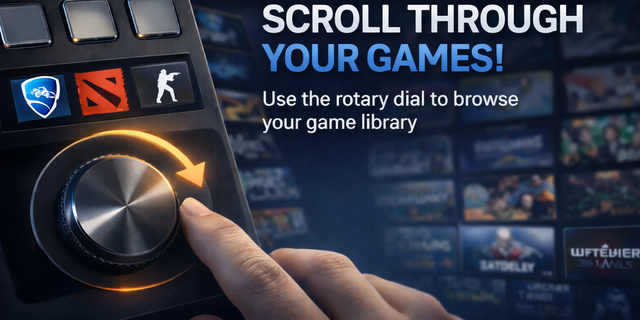
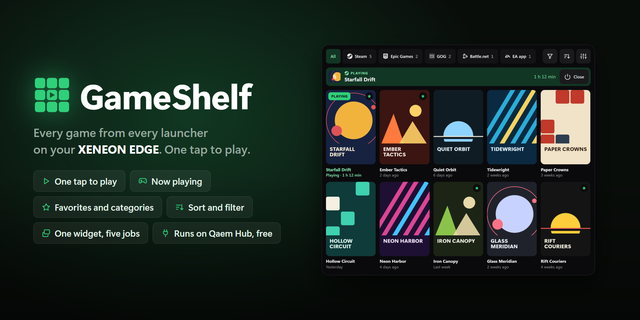
Steam Game Launcher: Integrated support for your Steam library; browse and launch your favorite games quickly.
Favourites: Keep your essential tools, frequent projects, and most-played games pinned for immediate access.
Quick Use: Execute your most frequent task instantly with a single tap, bypassing the popup entirely for maximum speed.
Intelligent Positioning: The interface adapts to your workspace, appearing exactly where you need it across multiple monitors.
Customizable Layout: A sleek, dark-mode design with smooth animations that feels integrated into your professional workflow.
COMING SOON:
Quick Action: You will be able to set an action to a key or dial to quickly open / focus the App/Folder/Game you want; e.g you could set an app to open it or focus it if already opened. (THIS EXAMPLE IS STILL USABLE USING QUICK USE)
IMPORTANT NOTES: 1. This plugin is a part of Quick Actions series 2. Please contact me for any features, improvements or bugs you would want to see it in this series. 3. Some apps/folders would always open a new instance or focus the same instanace.
Release!
Version 1
Apr 28, 2026
Details
Type
Monitoring
Productivity
Utilities
OS
Windows
Compatibility
Stream Deck 6.9 or later
Size
68.6 MB
Version
1
Language
English
Support
Profiles
No
Dial support
Yes
You might also like