Productivity
Rhino 3D Tools
Overview
I made this because I got tired of hunting through Rhino's toolbar every time I needed a tool I don't use every day. Now I just press a button.
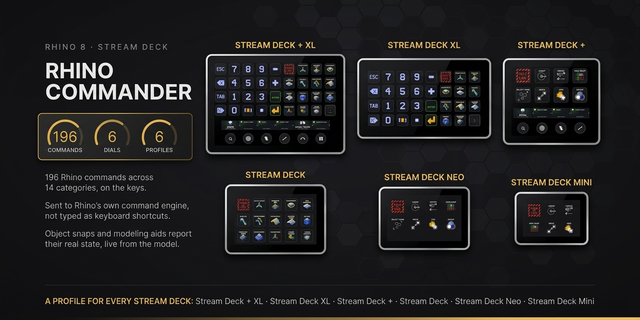
Rhino 3D Tools gives you 154 Rhino commands on your Stream Deck — one button each. Every tool has its own icon and is color-coded by category, so your deck becomes a second toolbar that actually makes sense to look at.
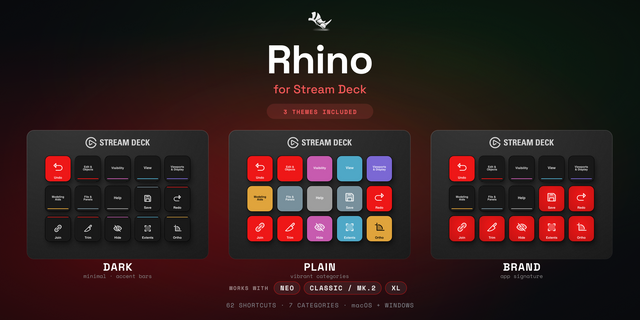
There are 14 categories — curves, surfaces, solids, transforms, booleans, SubD, mesh, and more — each with its own color. Blue for curves, purple for solids, pink for SubD, you get the idea. At a glance you always know what you're looking at.
Setting it up is simple: drop a button on your deck, pick the Rhino command from the list, done. The button shows the command name so you don't have to guess what anything does six months from now.
Works with any Stream Deck model. Requires Rhino 7 or later on Windows.
Rhino 3D Tools — v1.0.0
First release. Here's what's in it:
What's new
154 Rhino commands, one button each — curves, surfaces, solids, booleans, SubD, mesh, transforms, view, display, selection, analyze, drafting, and file tools
Every button shows a colour-coded icon matching its category so you can tell at a glance what's what
Pick your tool from the property inspector — filter by category, type to search, or just scroll the list
The Rhino command previews at the bottom before you commit, so no surprises
Known issues
Rhino needs to be the active window when you press a button — the plugin sends a keystroke, so if something else has focus the command won't land
Windows only for now
Version 1
Sep 14, 2026
Details
Type
Productivity
OS
Windows
Compatibility
Stream Deck 7.1 or later
Size
148.57 KB
Version
1
Language
English
Support
Profiles
No
Dial support
No
You might also like