Business
Rhino Commander
Overview
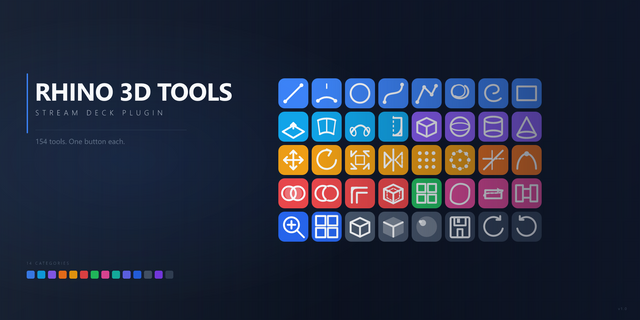
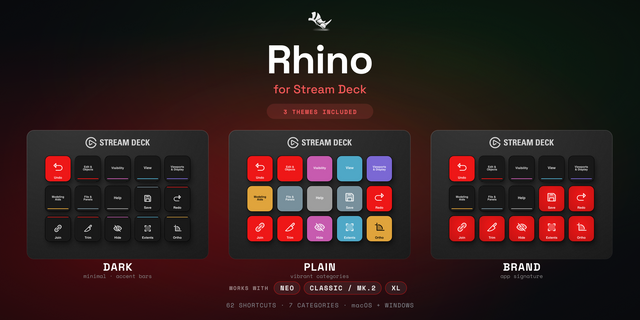
Rhino Commander drives Rhino 8 through its own command engine, not through guessed keyboard shortcuts. 196 Rhino commands sit on labeled keys across 14 categories, 20 keys show Rhino's real state, six dials cover zoom, display mode, layer, object snaps, undo and redo, and the standard views, and live strips print what Rhino is actually set to. Six profiles ship: 15-key Stream Deck, Stream Deck +, Stream Deck + XL, 32-key Stream Deck XL, Stream Deck Mini, and Stream Deck Neo.
SETUP
The Rhino 8 companion plug-in this needs is included, and it installs itself the first time the plugin runs. There is nothing to download. Restart Rhino once after installing the plugin and the keys connect. The Status key tells you when that restart is due.
COMMANDS, NOT KEYSTROKES
Every key sends its command to Rhino directly. It cannot land in the wrong window, it does not depend on your keyboard map, and it reaches the whole command set, not the fraction that has a shortcut. If Rhino is not answering, the key says so instead of typing into whatever is in front.
KEYS THAT TELL THE TRUTH
Every object snap and modeling aid shows whether it is really on. Flip Ortho in Rhino's status bar and the key flips with it. Gumball and history recording are toggles too, following the same status-bar state rather than firing blind. Before Rhino has answered, a key shows neither on nor off rather than guessing.
SIX DIALS AND LIVE STRIPS
- Zoom: turn to zoom the active viewport, press to zoom extents.
- Display Mode: step through all eleven display modes; the strip names the one you are in. Press for Wireframe.
- Layer: step through the document's layers; the strip names the current one. Press to isolate.
- Object Snap: move through the twelve snaps; the strip shows which one and whether it is on. Press to toggle it.
- Undo / Redo: one undo or redo per click, in order. Press for multiple undo.
- Standard View: step Top, Front, Right, Perspective; the strip names the active viewport. Press for four viewports.
Tap the left half of any strip for one click back, the right half for one click forward. The Stream Deck + seats the first four dials; the Stream Deck + XL seats all six on every page.
A NUMBER PAD ON THE HUB
The Stream Deck + XL and 32-key XL profiles carry a five-wide number pad on every page: digits, decimal point, minus and plus, Esc, Tab, Backspace, Delete, a double-tall Enter, and a Select Field key that highlights the entry you are about to overwrite. Type a length the moment Rhino asks.
EASY LINK, BUILT IN
Hold the Easy Link key while Rhino is in front and the deck binds to this profile. It switches in whenever Rhino takes focus and hands back when you leave.
WHAT'S INCLUDED
- 14 category actions covering 196 commands: Object Snaps, Modeling Aids, View & Display, Layers & Visibility, File & Document, Curves, Curve Tools, Surfaces, Surface Tools, Solids, Booleans & Edges, SubD & Mesh, Transform, and Select & Groups.
- A Status key showing the current layer, units and selection count, or the active viewport and its display mode.
- Six bundled profiles with every command pre-placed and Home on every page.
- Per-key sounds from the bundled clips or your own Sound Sampler recordings.
- Custom hotkey remapping on any key for the commands you have rebound.
First release
196 Rhino commands on labeled keys across 14 categories, sent to Rhino's own command engine rather than typed as shortcuts. 20 keys read Rhino's real state: every object snap and modeling aid shows whether it is on, and follows what you flip in Rhino. Gumball and History toggle with Rhino's status bar rather than just opening the command.
Six dials: Zoom, Display Mode, Layer, Object Snap, Undo / Redo and Standard View. Four strips print what Rhino is set to. A tap on either half of a strip is one click.
Six profiles: 15-key Stream Deck, Stream Deck +, Stream Deck + XL, 32-key Stream Deck XL, Mini and Neo. The two large formats carry a five-wide number pad on every page.
The Rhino 8 companion plug-in is included and installs itself on first launch. Restart Rhino once after installing.
Verified against Rhino 8.35 on Windows and Mac.
Version 1
Sep 24, 2026
Details
Type
Business
Development
Productivity
Utilities
OS
Mac
Windows
Compatibility
Stream Deck 6.9 or later
Size
4.8 MB
Version
1
Language
English
Support
Neo Infobar support
No
Profiles
Yes
Dial support
Yes
You might also like