Gaming
RuneScape Stream Deck Profile + Icons
by StreamSpell
Overview
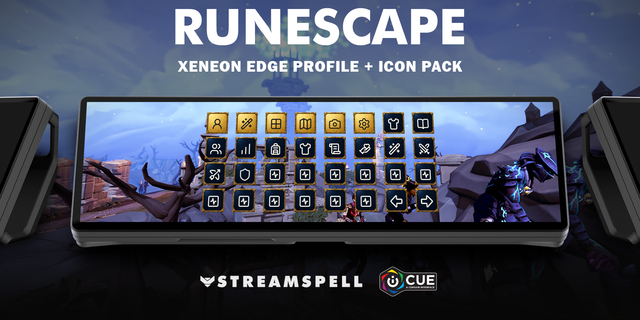
Keep your interfaces, action bars and camera close at hand with 47 keyboard actions in six category folders. Antique frames and distinct category accents match the fantasy setting.
Actions by category
Hero: Hero, Customisations, Adventures, Community, Skills, Backpack, Worn Equipment and Activity Tracker.
Powers: Powers, Prayers, Magic, Melee Abilities, Ranged Abilities and the Defensive interface.
Bars: Activate main action bar slots 1 to 12, switch to the previous/next bar and select saved main bars 1 to 5. Slot contents follow your own ability and item setup.
World: Toggle run, open the world map and open the Home Teleport network. Select the destination in the game.
Camera: Hold to rotate or raise/lower the camera; press to zoom in/out.
Utility: Settings/close, interface lock, global audio mute, reply to the last private message and continue dialogue.
Included: seven Windows profiles for Stream Deck Mini, Neo, MK2, +, +XL, XL and Galleon 100 SD; an installable icon pack with 3368 matching icons; the full loose PNG collection; and an English CSV file with key mappings.
For the main RuneScape game (RuneScape 3), using the modern interface and Full Manual or Revolution combat. Not for Old School RuneScape, Dragonwilds or Legacy mode.
Some shortcuts require an in-game key binding to match the profile. Feel free to customize the key bindings to suit your playstyle. Match the configurable Controls entries to the combinations in a CSV file with key mappings. This is a configured layout, not a claim that every key matches a fresh account.
Requires RuneScape on Windows and Elgato Stream Deck software. Movement and mouse actions stay on the mouse. Leave chat/text entry before using gameplay hotkeys.
Dial controls
Stream Deck +: Zoom camera out/Zoom camera in, Previous main action bar/Next main action bar, system volume, Stream Deck brightness. Stream Deck +XL: Zoom camera out/Zoom camera in, Previous main action bar/Next main action bar, system volume, Stream Deck brightness, Move camera left/Move camera right, Move camera down/Move camera up. Galleon 100 SD: Zoom camera out/Zoom camera in, Previous main action bar/Next main action bar, system volume, Stream Deck brightness. Rotation sends a short tap for each step; press/touch are not assigned to game commands. Alternative touch strip backgrounds are included.
Not affiliated with or endorsed by the game’s creators.
Updated current-device previews and matching touch strips. Added dial controls using existing source-matched shortcuts, plus system volume/Stream Deck brightness. Existing commands and navigation retained. Alternative strip backgrounds included.
Version 1.1
Oct 22, 2026
Details
Type
Gaming
Device
GALLEON 100 SD
Stream Deck +
Stream Deck Mini
Stream Deck MK
Stream Deck Neo
Stream Deck XL
Stream Deck + XL
OS
Windows
Compatibility
Stream Deck 7.1 or later
Size
270.35 MB
Version
1.1
Support
Icons
Yes
Dial support
Yes
Additional links
You might also like