Gaming
Sim Control Deck
by SquierStream
Overview
Turn your Stream Deck into a joystick — dials become real axes, keys become buttons and switches.
Sim Control Deck turns your Stream Deck into a control panel your simulator sees as a joystick of its own. The dials become real, proportional axes — so radiator and cowl flaps, fuel mixture, propeller pitch, trim and throttle all get the smooth, held-position control they are supposed to have, on hardware already sitting on your desk.
An encoder does not turn, it clicks, and a sim can tell. So the axis is smoothed between detents: instead of standing still and then jumping, it moves the way a lever moves, which is what the response curves and filters on the other side were built for. It has a deadzone at rest and at both stops as well, the way a real stick does — so that dead centre is properly dead, full travel is properly full, and the number on the deck is the number your sim receives.
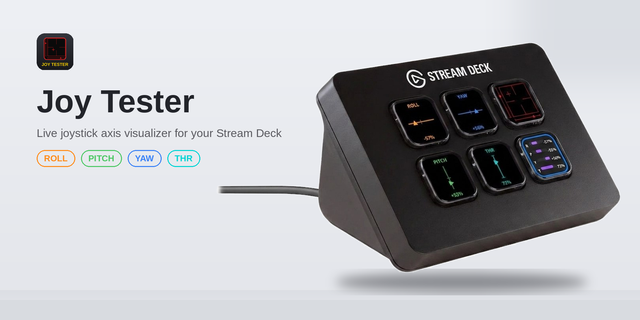
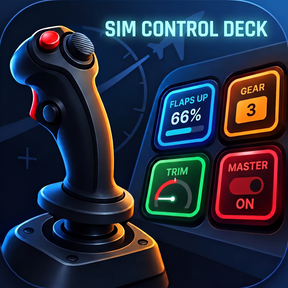
Every control draws its own state on its own screen. A centred axis like trim or rudder fills from the middle and marks dead centre, so you can see at a glance when you are back on it — the thing a plain progress bar can never tell you. Nine display styles, from a quiet bar to a gauge with a needle, in any accent colour.
Keys are part of the same panel. Any key can be a joystick button held while you hold it, a latching switch that stays on until you press it again — with a separate button for each position, the way a real two-position switch works — or an axis control that jumps to a value, steps by a set amount, or moves for as long as you hold it. Put two of those side by side and you have flaps up and flaps down, sharing one axis and one scale.
Your simulator binds all of it in its normal controller screen, alongside your stick and pedals, because to the sim it simply is another joystick. And when a binding screen refuses to notice a movement as small as one detent — most of them do — a dial can sweep its axis end to end for you, so there is something to bind.
Actions
Axis dial — a dial drives one axis, with a configurable step per detent, as a 0–100% slider or a centred −100…+100% axis
Button — a key holds a joystick button down for as long as you hold the key
State button — a latching switch, with an optional second button for the off position
Axis key — moves an axis from a key: jump to a value, step by an amount, or ramp while held
Features
Up to six dials as independent axes on a Stream Deck + and Stream Deck + XL
Smoothing between detents, so the sim receives movement rather than a staircase
Adjustable deadzone, at the rest point and at both stops, on every axis
Sweep for binding: run an axis end to end so a sim's binding screen can see it
Every control shows its live position; axis positions survive a restart
Warns you when a button number or an axis is already used by another control
Set one dial up and the next starts from it, on the first free axis
Nine display styles, horizontal or vertical scales, per-control accent colour
Up to 16 vJoy devices, with the settings panel showing which are available
Requirements
Sim Control Deck needs the free vJoy driver installed (https://github.com/BrunnerInnovation/vJoy/releases/tag/v2.2.2.0) vJoy is what creates the virtual joystick on Windows; without it this plugin has nothing to drive, and the plugin will say so on the key until it is installed. It is a one-time install, and the plugin's settings panel tells you exactly what is missing and what to do about it — including how to add a second vJoy device if you run out of axes.
Windows 10 or later
Stream Deck software 6.9 or later
The free vJoy driver (v2.2.2.0 recommended https://github.com/BrunnerInnovation/vJoy/releases/tag/v2.2.2.0)
Dials require a Stream Deck + or Stream Deck + XL; the Button, State button and Axis key actions work on any Stream Deck
vJoy is a third-party driver and is not affiliated with this plugin.
Dials map to true proportional axes and keys become real buttons and latching switches. Every control renders its live state on its own screen.
Axis dial drives one axis with configurable step per detent as a 0 to 100 percent slider or a centered minus 100 to plus 100 axis. Button holds a joystick button while the key is held. State button latches on and off with an optional dedicated off key. Axis key jumps to a value, steps by a set amount, or ramps while held.
Nine visuals from quiet bar to needle gauge. Horizontal or vertical scales. Centered axes fill from the middle and mark dead center for instant recenter feedback. Accent color per control.
Up to six dials as independent axes on Stream Deck Plus and Stream Deck Plus XL. Optional smoothing glides between detents. Axis positions persist across restarts.
Pair two axis keys to share one axis and scale for flaps up and flaps down. Keys and dials coexist on the same panel.
The plugin warns when an axis or button number is already in use by another key.
The settings panel explains what is missing and how to install vJoy, including how to add a second virtual device if you run out of axes.
Version 0.15
Sep 14, 2026
Details
Type
Gaming
OS
Windows
Compatibility
Stream Deck 6.9 or later
Size
976.48 KB
Version
0.15
Language
English
Support
Profiles
No
Dial support
Yes
Additional links
You might also like