Productivity
Snap Launcher
by BowerStudio
Overview
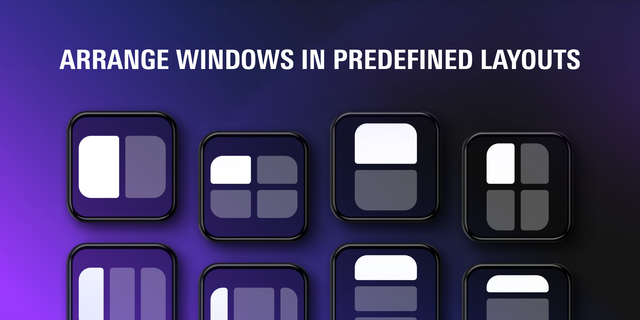
Ready to put every window in its place? Launch or focus any app and snap its window into position with one key press: the right zone, on the right monitor, every time. No more taskbar hunting, no more dragging windows into place.
Works with classic desktop apps and Microsoft Store apps alike, from WhatsApp and Spotify to Windows Settings.
Actions include:
Launch & Position: Start or focus an app and snap its window to a zone or a captured position, optionally on a Windows 11 virtual desktop
Close App: Close an app's windows gracefully, like clicking ✕, with an optional force-quit for apps that won't let go
Built for serious setups:
Snap zones (full screen, halves, quarters) that match Windows Snap exactly, worked out fresh on every press so nothing breaks when your display layout changes
Capture mode: arrange a window just how you like it, click Capture, and the key restores that exact spot from then on
Virtual desktops: one press switches to a named desktop, creating it if it doesn't exist, with your app snapped into place
Full multi-monitor support, including displays left of or above your primary
Windows only. Virtual desktop support requires Windows 11.
Save time and skip the setup ritual. Get Snap Launcher by BowerStudio and make every window snap to attention.
Snap Launcher 1.4.0
New Features
Start Minimized
Added a new Positioning option that launches applications directly to the taskbar or minimises them if they're already running.
Ideal for background applications such as messaging, music players and sync tools.
Support for Administrator Applications (Windows)
Snap Launcher can now snap, move and minimise elevated applications, including Task Manager and other programmes running as administrator.
Because Windows prevents Stream Deck from controlling these windows directly, a one-time helper setup is required.
To enable:
Open a key's settings.
Navigate to Apps running as administrator.
Click Set up helper….
Approve the Windows security prompt.
The helper only needs to be installed once and works across all keys. It can be uninstalled at any time using Remove helper.
Fixes & Improvements
Steam Game Icons
Fixed an issue where Steam games could appear without icons on Windows, particularly when the executable filename differed from the game's title (e.g. Battlefield 6 using bf6.exe).
Games selected through Choose from: Steam games now use icons retrieved directly from Steam.
Existing keys with missing icons are updated automatically.
Improved Error Messages
Keys that cannot move or snap administrator-level windows now display a clear explanation of the issue instead of failing silently.
Version 1.4
Nov 6, 2026
Details
Type
Productivity
OS
Mac
Windows
Compatibility
Stream Deck 7.1 or later
Size
87.08 KB
Version
1.4
Language
English
Support
Neo Infobar support
No
Profiles
No
Dial support
No
You might also like