Use code BLACKFRIDAY to save 30% on this product. Valid from Nov 16 through Nov 30.

Development

SPEED

Overview

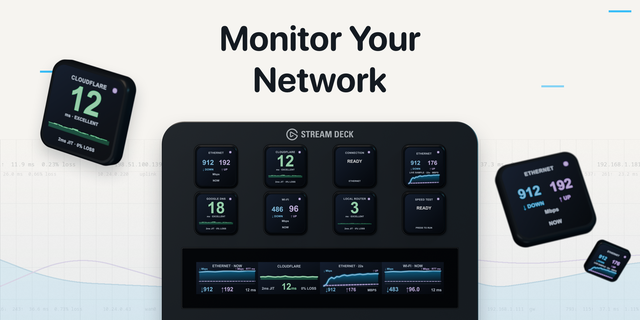
SPEED tracks latency, loss, jitter, DNS and interface throughput over time, runs bounded download, upload and latency-under-load tests on demand, traces the route and watches VPN endpoints. Every number says what it measured and how.

CONTINUOUS AND ACTIVE — Light probes run all the time; throughput, load and route tests run when you ask, bounded in time and data.

BUFFERBLOAT IN ONE NUMBER — Load compares latency at rest with latency while a download or upload runs: the difference your calls feel.

FOURTEEN KEYS, ONE DECK — Ping, latency, jitter, bandwidth, DNS, gateway, route, load, interface, VPN, alerts and history: build the panel you need.

Part of the OPS family: seven operations consoles with one design. On a Stream Deck Neo, its Infobar shows what is happening, or the verdict. No permission needed. Throughput tests use Cloudflare's public speed test endpoint, and only when you run one. macOS 12+, Stream Deck 7.6+. Local only: no account, cloud service, telemetry or subscription.

SPEED 1.1.0

Keys you can read without leaning in: one big number or word, with the facts a tap away. A solid strip with a verb marks a key that does something; every other key watches: tap for the next fact, hold to check now. Fourteen actions became four: Status, Measure, Test and History, each with a Show choice. A tap on a test key starts it and a second tap stops it. Pausing has moved to a button in the key's settings. Keys already on your deck keep working.

No permission needed. Throughput tests use Cloudflare's public speed test endpoint, and only when you run one.

Version 1.1

Nov 2, 2026

Details

Type

Development

Monitoring

Utilities

OS

Mac

Compatibility

Stream Deck 7.6 or later

Size

381.06 KB

Version

1.1

Language

English

Support

Profiles

No

Dial support

No

Neo Infobar support

Yes

You might also like
  • Network Pulse
    Network Pulse app icon

    Network Pulse

    by SENTINELITE

    ∙

    Monitoring

    Network Pulse (macOS ONLY) puts internet speed & connection health on your Stream Deck. It runs Apple's built-in network...

    $8.99

    Discount eligible
  • Network Quality
    Network Quality app icon

    Network Quality

    by David Sandilands

    ∙

    Monitoring

    Run Apple's built-in networkQuality speed test right from your Stream Deck. Press a key to measure your internet downloa...

    Free

  • Mac Monitor Pro
    Mac Monitor Pro app icon

    Mac Monitor Pro

    by Kuberstar

    ∙

    Monitoring

    Real-time macOS system monitoring on your Stream Deck keys. Seventeen metrics with live charts and gauges, including dee...

    $7.99

  • UPTIME
    UPTIME app icon

    UPTIME

    by 7bp Solutions

    ∙

    Development

    UPTIME watches websites, APIs, servers and local services with HTTP, TCP and DNS checks, confirms an outage before it ca...

    $4.99

    Discount eligible
  • OPS Suite
    OPS Suite app icon

    OPS Suite

    by 7bp Solutions

    ∙

    Development

    PULSE, UPTIME, SPEED, CERT, ACCESS, PROBE and VAULT in one plugin: network reliability, service availability, performanc...

    $16.99

    Discount eligible
  • Speedtest
    Speedtest app icon

    Speedtest

    by FCAN

    ∙

    Utilities

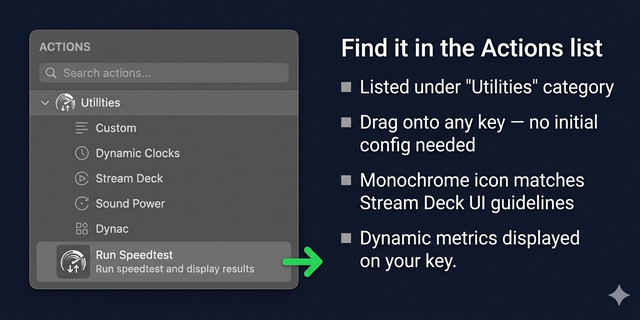
    Run Speedtest and display the latest download, upload, and latency results on a Stream Deck key. Download the CLI: Get t...

    $10.00

  • PingWidget

    PingWidget

    by Hall Solutions

    ∙

    Monitoring

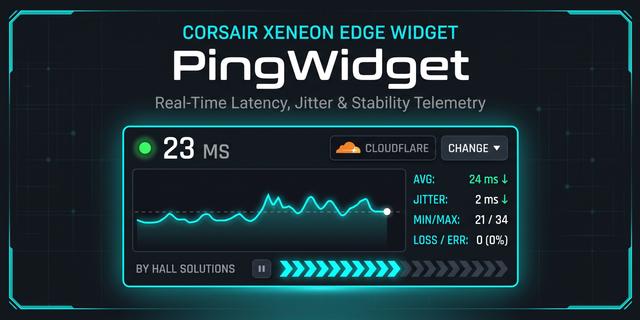
    Real-time network latency, jitter, and packet loss monitor built specifically for the Corsair Xeneon Edge display. PingW...

    Free

  • Speedtest Tracker
    Speedtest Tracker app icon

    Speedtest Tracker

    by MrAndersenDK

    ∙

    Utilities

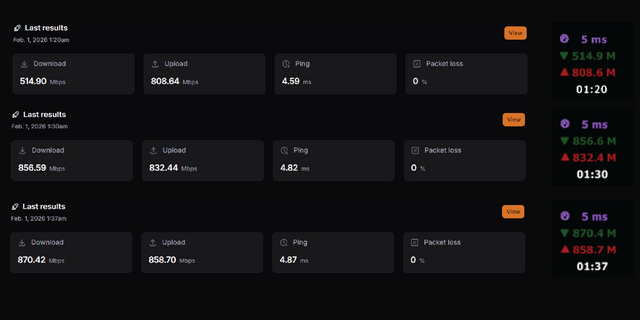
    Displays latency, network speed, and the time of the latest speedtest performed by your Speedtest Tracker server. You ca...

    Free