Audio
Spotify for Stream Deck XL — You Controller
by D.A.N
Overview
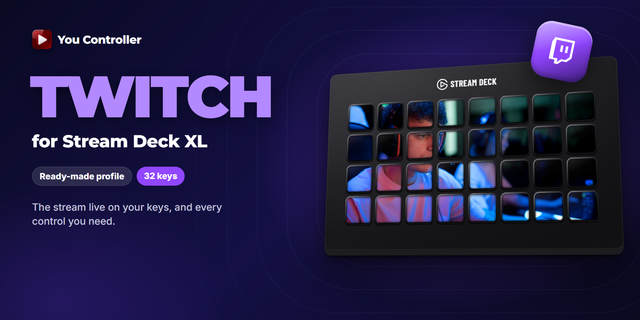
Control Spotify from your Stream Deck XL, with the album art filling the keys. This is the official profile for the You Controller plugin, laid out for the XL's 32 keys, with 8 keys left free for your own.
The cover of whatever is playing spreads across the whole grid and cross-fades when the track changes. It works with the Spotify web player, and with the desktop app through Windows' own media controls when no browser tab is playing — so the keys follow the music wherever it is coming from.
⚡ What is on the keys
* Playback: Play / Pause, Next / Previous, seek 5 s / 10 s / 30 s / 60 s back and forth, jump to the start or the end, Repeat.
* Audio: smooth volume up and down, instant Mute, a one-press 50%.
* Save the current track to your Liked Songs, or add it to a playlist.
* Tabs: Next / Previous media tab; Focus tab, which brings the player to the front; Lock tab (PRO), which keeps the keys on one tab while you browse others.
Speed control, frame stepping and A-B loop are not here: they belong to video, and Spotify is audio. Nothing on these keys pretends otherwise.
🛠 Requirements
* Elgato Stream Deck XL
* Stream Deck software 7.6 or newer
* You Controller plugin — free on the Marketplace
* You Controller extension for Chrome — free, and REQUIRED for the web player. The desktop app is read through Windows media controls and also needs the plugin.
🚀 Setup
1. Install the You Controller plugin and the Chrome extension.
2. Download this profile and double-click the .streamDeckProfile file to import.
3. Start playing in Spotify, select the profile on your XL, and the keys take over.
The same plugin also drives YouTube and Twitch, and switches between them on its own as you move between tabs — separate profiles for those are available too.
Control Spotify from your Stream Deck XL, with the album art filling the keys. This is the official profile for the You Controller plugin, laid out for the XL's 32 keys, with 8 keys left free for your own.
The cover of whatever is playing spreads across the whole grid and cross-fades when the track changes. It works with the Spotify web player, and with the desktop app through Windows' own media controls when no browser tab is playing — so the keys follow the music wherever it is coming from.
⚡ What is on the keys
* Playback: Play / Pause, Next / Previous, seek 5 s / 10 s / 30 s / 60 s back and forth, jump to the start or the end, Repeat.
* Audio: smooth volume up and down, instant Mute, a one-press 50%.
* Save the current track to your Liked Songs, or add it to a playlist.
* Tabs: Next / Previous media tab; Focus tab, which brings the player to the front; Lock tab (PRO), which keeps the keys on one tab while you browse others.
Speed control, frame stepping and A-B loop are not here: they belong to video, and Spotify is audio. Nothing on these keys pretends otherwise.
🛠 Requirements
* Elgato Stream Deck XL
* Stream Deck software 7.6 or newer
* You Controller plugin — free on the Marketplace
* You Controller extension for Chrome — free, and REQUIRED for the web player. The desktop app is read through Windows media controls and also needs the plugin.
Version 1
Oct 5, 2026
Details
Type
Audio
Music
Device
Stream Deck XL
OS
Windows
Compatibility
Stream Deck 7.1 or later
Size
4.15 KB
Version
1
Language
English
Support
Additional links
You might also like