Creative Tools
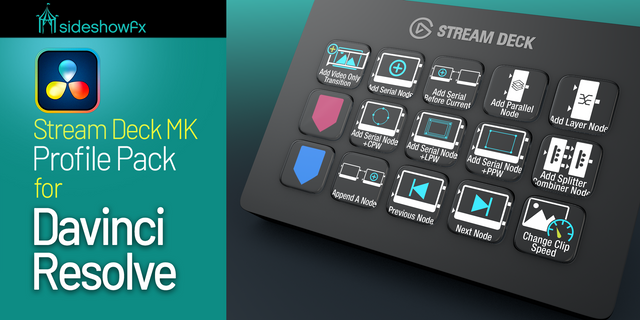
Stream Deck XL Edit for Davinci Resolve
by SideshowFX
Overview
DAVINCI RESOLVE EDIT — STREAM DECK XL
168 PREPROGRAMMED EDITING COMMANDS • MAC & WINDOWS • EDIT PAGE FOCUSED
🎬 EDIT FASTER. CREATE MORE.
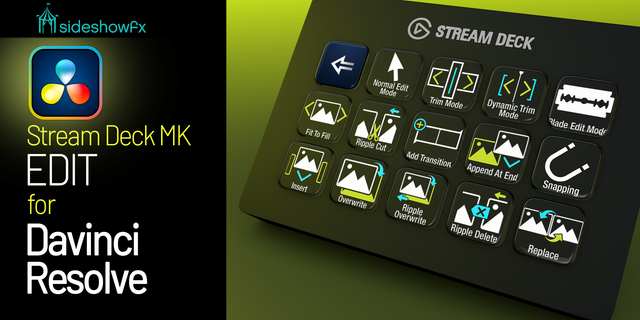
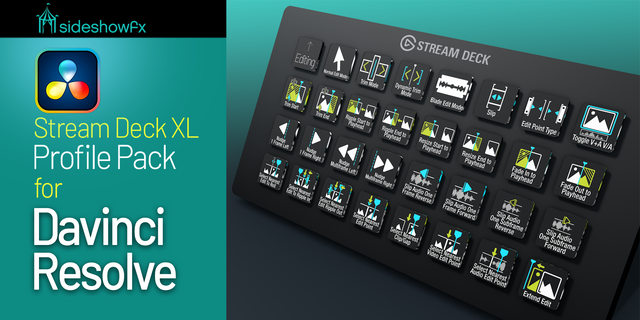
Take control of your DaVinci Resolve editing workflow with the SideshowFX DaVinci Resolve Edit Profile Pack for Stream Deck XL. Designed specifically for the Edit page in DaVinci Resolve, this streamlined pack brings 168 essential editing commands directly to your fingertips. No need to memorize dozens of keyboard shortcuts or constantly navigate menus. Access the editing tools you need with a simple tap and keep your creative momentum flowing. Less clicking. Faster editing. More creativity.
⚡ 168 READY-TO-USE EDITING COMMANDS
Get straight to work with 168 preprogrammed shortcut commands, professionally organized for your Stream Deck XL. This focused collection takes the editing functionality from our comprehensive DaVinci Resolve Pro Profile Pack and brings it together in a streamlined, editing-only solution. Spend less time searching for commands and more time working on your timeline.
🎛️ EVERYTHING YOU NEED FOR EDITING
Not everyone needs controls for every DaVinci Resolve module. If your workflow centers on the Edit page, this pack offers a practical, cost-effective way to enhance your Stream Deck setup. Enjoy the convenience of a professionally programmed editing profile without purchasing our complete Pro collection.
🖥️ MAC & WINDOWS COMPATIBLE
Designed for Stream Deck XL users working with DaVinci Resolve on either Mac or Windows. The included SideshowFX custom keyboard shortcut file is required for the programmed commands to function correctly.
✓ WHAT YOU GET
✓ 168 preprogrammed editing shortcut commands ✓ Ready-made Stream Deck XL editing profile ✓ Focused DaVinci Resolve Edit page functionality ✓ Custom keyboard shortcut file ✓ Mac and Windows compatibility ✓ PDF setup and reference manual ✓ Free updates for current pack owners
🚀 WANT THE COMPLETE DAVINCI RESOLVE EXPERIENCE?
Need more than editing controls? Our DaVinci Resolve Pro Profile Pack for Stream Deck XL provides a more comprehensive solution with commands covering additional Resolve modules, including Color and Fusion.
Explore the full Pro pack: https://marketplace.elgato.com/product/davinci-resolve-profile-pack-for-stream-deck-xl-55ccc77c-0081-41ea-9d6d-0aced61fe3fd
⚠️ BEFORE YOU BUY
• Stream Deck XL only • Mac and Windows compatible • English-language DaVinci Resolve required • English QWERTY keyboard layout required • Installation of our custom keyboard shortcut file is mandatory • Edit page commands only • Color, Fusion and other Resolve module commands are NOT included • DaVinci Resolve software is not included
SETUP GUIDE & MANUAL: https://www.sideshowfx.net/s/Davinci-Edit-Stream-Deck-XL-Manual.pdf
💬 STAY CONNECTED
Get news about product releases, updates and special offers.
Mailing List: https://www.sideshowfx.net/mailing-list
Discord Community: https://discord.gg/JuGBTedrXf
SIDESHOWFX — PREMIUM STREAM DECK WORKFLOWS. HANDCRAFTED & ENGINEERED SINCE 2019.
No release notes for this version
Version 1
May 24, 2024
Details
Type
Creative Tools
Video
Device
Stream Deck XL
OS
macOS
Windows
Compatibility
Stream Deck 6.4 or later
Size
7.76 MB
Version
1
Support
Icons
No
Additional links
You might also like