Productivity
Todoist Connect
by ChekTek
Overview
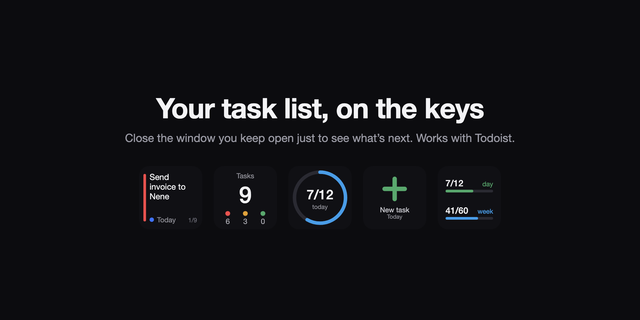
Take control of your Todoist workflow with a single press. Todoist Connect integrates Todoist into your Stream Deck so you can create tasks, open views, and quick-add items — all without switching windows or breaking your focus.
Quick Add Instantly open Todoist's Quick Add dialog from your Stream Deck. Pre-fill task names and descriptions with custom text, or use Ramble voice input to dictate tasks hands-free. Works with both the Todoist desktop app and browser.
Create Tasks Create fully configured tasks with a single button press. Set the project, section, task name, description, priority (P1–P4), due date, time, and deadline — all pre-configured in the Stream Deck UI. Perfect for recurring workflows where you add the same types of tasks repeatedly.
View Jump directly to any Todoist view instantly. Open your Inbox, Today, Upcoming, Notifications, a specific Project, or an individual Task — in either the browser or the Todoist desktop app.
Key Features
App or Browser — Every action supports opening in the Todoist desktop app or your web browser
Voice Input — Leverage Ramble to dictate tasks using your voice via Quick Add
Pre-filled Tasks — Configure task content, descriptions, projects, sections, priorities, dates, and deadlines ahead of time
One-tap Navigation — Jump to any Todoist view without touching your keyboard or mouse
Bug fixes
Version 1.0.0.1
Feb 16, 2026
Details
Type
Productivity
OS
Mac
Windows
Compatibility
Stream Deck 6.9 or later
Size
261.94 KB
Version
1.0.0.1
Language
English
Support
Profiles
No
Dial support
No
You might also like
-thumbnail-optimized-73da3f0d-2953-4ce6-88d4-b6f45f7e9626.png)