Gaming
War Thunder Naval
Overview
War Thunder Naval
A multi-map display for War Thunder naval battles: A battlefield overview mini-map and a second map that follows your ship.
What's Included The nearest hostile ship and the nearest hostile aircraft are each called out automatically with distance and bearing, alongside a live count of allied and enemy ships and aircraft on the map. Capture zones show how many your team holds, how many are open, and which are currently being contested. Your heading, grid square and measured speed are shown live.
Drop measuring and radius tools directly onto either map to range targets or plan a run - panning stays available the whole time a tool is active, and only the automatic camera follow is paused while you measure. The map draws a trail and re-centers on your ship automatically when you switch to full screen.
Customization Choose your zoom level, grid visibility, trail, and icon size. The speed unit switches between km/h, mph or knots. Text, your marker, and the background color are all customizable. Between matches, show a slideshow of wallpapers or a page of your choosing instead of a blank screen.
Data and Connectivity War Thunder serves this telemetry automatically on localhost:8111 the moment a match starts - no companion app, no in-game setting to enable. The widget only talks to your own PC.
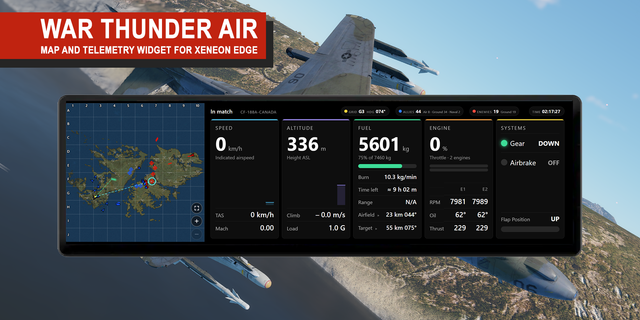
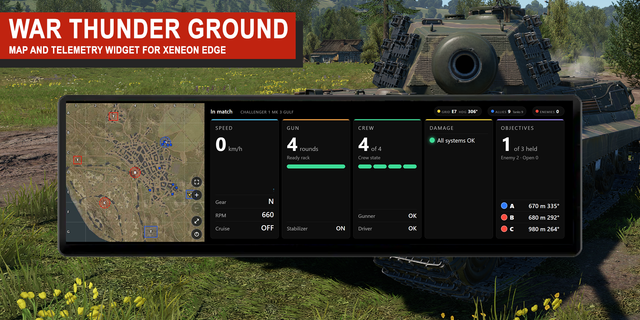
Compatibility Designed for use in iCUE with the Corsair Xeneon Edge (landscape XL size recommended for the clearest read); also runs in portrait. Works with War Thunder on Windows. Exactly which markers and readouts appear depends on your ship, game mode and map. Other compatible widgets are available for Air, Ground, Helicopter.
Disclaimer Not affiliated with or endorsed by Gaijin Entertainment. War Thunder and related marks belong to their respective owners.
Initial release: multi-map display for War Thunder naval battles, with an overview mini-map and a ship-following map, automatic nearest-hostile callouts, live capture-zone status, and measuring/radius tools. Full layout, unit and color customization included.
Version 0.25
Oct 9, 2026
Details
Type
Gaming
Device
XENEON EDGE
OS
Windows
Size
118.05 KB
Version
0.25
Language
English
Support
Interactive
Yes
You might also like