Wave Cast
by Elgato
Overview
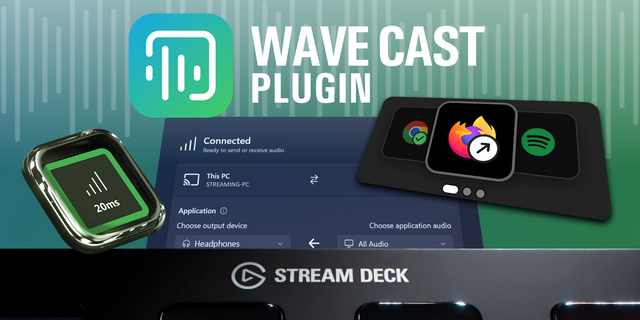
Dual PC streaming is the ultimate flex, but syncing audio between two machines can make it a nightmare. Wave Cast makes it easy, way easier than other apps, hacks, or workarounds.
With a single click, you can:
Connect two Windows 11 PCs via your network
Route audio where you want it
Use one mic on both PCs at the same time
Control audio from either side
Whether you’re capturing gameplay, narrating a tutorial, or running a podcast, Wave Cast gives you pro-level audio routing without needing a pro-level setup. **** Why Wave Cast
Dual PC streaming is powerful — smoother gameplay, cleaner streams, more control. But audio? That’s where it gets messy. Sending mic and game sound between machines usually means virtual cables, sync issues, or extra gear.
Wave Cast fixes all that…
It connects both PCs over your network with one click. You get clean, reliable audio with barely any delay, no matter how complex your setup. No complicated configs. No extra gear. Just install on both of your machines, launch the app, and you’re connected. Audio flows where you want it, with ultra-low latency and full control on both sides.
Whether you’re a streamer, gamer, or content creator, Wave Cast makes dual PC audio management easy and reliable. So you can focus on your content, not your setup. ****
Highlights
Low-latency audio Your audience hears what you say when you say it, because Wave Cast keeps audio delay ultra-low, even over Wi-Fi.
One-click pairing Open Wave Cast on both PCs. That’s it. They detect each other, connect automatically, and stay connected.
Flexible routing Send all system audio, just one app, or a custom mix. Perfect for game audio, voice chat, alerts — whatever your stream needs.
Output control Pick exactly where your audio lands on the second PC—speakers, headphones, or any virtual channel.
Shared mic input
Use one microphone across both PCs—no splitters, no extra software.
Control from both sides Adjust audio on either PC without jumping between machines.
Custom network tuning Advanced users can tweak latency, pick network adapters, and optimize performance for any setup. Good to know
Works via Ethernet or Wi-Fi—for best results use Ethernet. In general, wired connections provide the most stable, lowest-latency experience
Supports stereo audio
Works with Windows 11 or newer
Fixed an issue where audio would become distorted when selecting “All Audio” as the application audio source
Improved audio performance and reduced latency
Fixed a bug where the Wave Cast Driver could fail to install on a fresh system
Version 1.2.2
Jun 9, 2026
Details
OS
Windows
Size
91.17 MB
Version
1.2.2
Support
You might also like