Productivity
NEWS LIVE 2.0
by iConCity
Overview
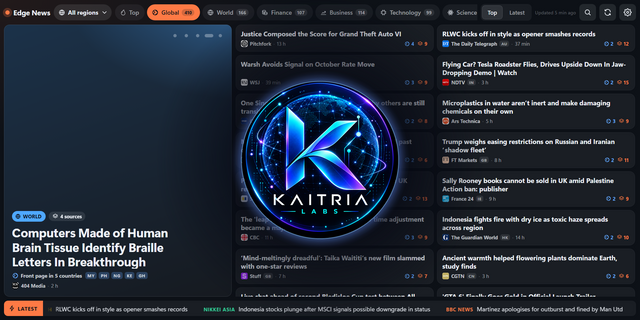
NEWS LIVE 2.0 transforms CORSAIR XENEON EDGE into an always-on live information desk. Follow six refreshed news categories, open full stories on your PC, monitor a custom market watchlist, and inspect recent price movement with touch-friendly charts—all from one wide-screen iCUE widget.
News works immediately with UK, US and World editions, cached startup headlines, background refresh, selectable feeds and adjustable movement speed. Markets are optional: connect your own Twelve Data API key once, then choose up to eight supported markets. Your key and preferences remain stored locally on your PC.
Features:
- Latest, Technology, Business, Politics, World and Sport news
- UK, US and World editions
- Background refresh and cached startup headlines
- Touch a headline to open the full article on your Windows PC
- Optional live market ticker using your own Twelve Data API key
- Custom eight-item market watchlist
- Interactive recent-session charts with exact touch-point values
- Four feed speeds, feed visibility and ordering
- High-contrast XENEON EDGE interface
Requirements:
Windows, CORSAIR iCUE 5.47 or later, XENEON EDGE and internet. News requires no account. Markets require a Twelve Data account and API key; availability and limits depend on that plan. Third parties supply news and market data. Market information is not financial advice.
## Compatibility
- Windows
- CORSAIR iCUE 5.47 or later
- CORSAIR XENEON EDGE dashboard_lcd)
- Interactive touch enabled
GUIDE to setting up your API key with Twelve Data : https://iconcity.com/pages/news-live-setup
V2 - added the ability to LOCK a Region of news
Version 2.0.80
Sep 1, 2026
Details
Type
Productivity
Device
XENEON EDGE
OS
Windows
Size
247.64 KB
Version
2.0.80
Language
English
Support
Dashboard Sizes
Extra large
Large
Recommended Orientation
Horizontal
Interactive
Yes
You might also like