Creative Tools
Blender Pro Profiles for Stream Deck
by SideshowFX
Overview
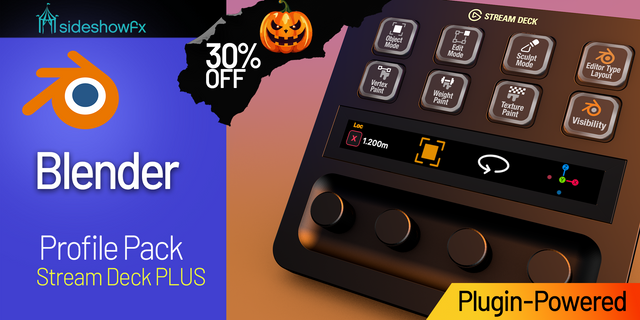
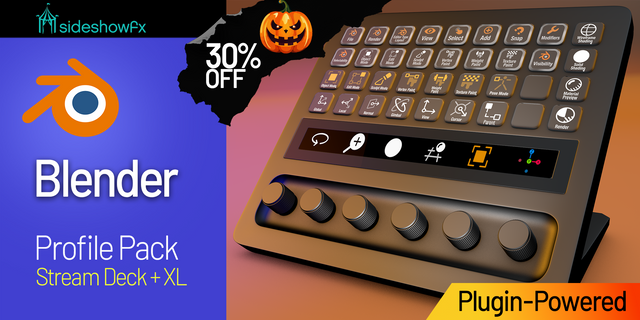
🎃🎃🎃SAVE 30% UNTIL NOV 1 DURING OUR HALLOWEEN SALE!🎃🎃🎃 ENTER THE DISCOUNT CODE SPOOKY AT CHECKOUT
PUT BLENDER AT YOUR FINGERTIPS
1,278 PLUGIN COMMANDS • 34 WORKFLOW CATEGORIES • DIRECT BLENDER CONTROL
Built for Stream Deck XL (32 keys) & MK1/MK2 (15 keys) • Mac & Windows • All Blender interface languages supported
⚡ PLUGIN-POWERED. DIRECT BLENDER CONTROL
Take your Blender workflow beyond conventional keyboard shortcuts with the SideshowFX Blender Plugin, developed specifically for our Blender Pro profiles and included with this pack. Our proprietary plugin communicates directly with Blender, giving you access to 1,278 available commands, with 1,114 already programmed into ready-to-use profiles. Unlike traditional shortcut profiles, plugin commands use Blender's internal operators rather than keyboard shortcuts.
🎛️ BUILT FOR STREAM DECK XL & MK
Choose the layout that works best for your creative workspace.
STREAM DECK XL — 8 × 4 LAYOUT
Take advantage of 32 dedicated keys per page, providing convenient access to Blender commands across a spacious control surface.
STREAM DECK MK1 & MK2 — 5 × 3 LAYOUT
Bring the same powerful plugin-based workflow to your compact 15-key Stream Deck. Both editions provide professionally organized profiles designed to make Blender's extensive toolset easier to navigate.
⚡ 1,114 PROGRAMMED COMMANDS
Get an extensive collection of Blender tools and commands already organized and ready to use. The included profiles provide access to workflows covering:
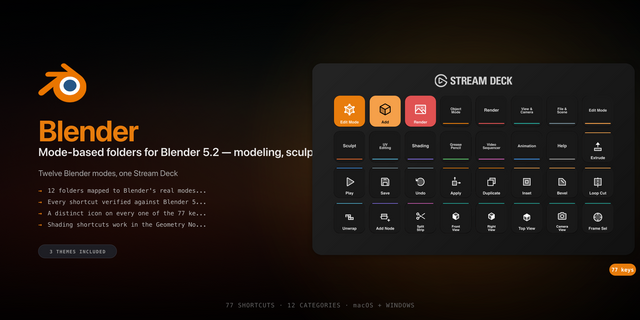
• Object Mode and Mesh Editing • Sculpting and Modifiers • UV Editing and Shading • Animation and Motion Tracking • Selection and Navigation • And much more
34 organized categories mirror Blender's own menus, making it easier to find the tools you need.
🔌 POWERED BY THE SIDESHOWFX BLENDER PLUGIN
The included SideshowFX Bridge add-on communicates locally with Blender. Instead of sending simulated keystrokes, supported commands are dispatched using Blender's internal operator names. This means plugin commands behave consistently regardless of your Blender interface language or customized keyboard shortcuts. More than shortcuts. Real Blender integration.
⚙️ CUSTOMIZE YOUR COMMANDS
Make the included profiles work the way YOU do. Customize plugin keys, choose which commands appear when cycling through tools and organize your Stream Deck around your favourite Blender functions. With 1,278 available plugin commands, you can expand beyond the 1,114 already programmed into the supplied profiles. Your workflow. Your tools. Your Stream Deck.
🎨 BUILT FOR CREATIVE WORKFLOWS
Whether you're modelling, sculpting, animating or refining complex 3D scenes, keep your essential tools within easy reach. Our preprogrammed profiles help reduce menu navigation and shortcut memorization, leaving more time for the creative work that matters.
✓ WHAT YOU GET
✓ Preprogrammed Stream Deck XL profiles ✓ Preprogrammed Stream Deck MK1/MK2 profiles ✓ 1,114 preprogrammed Blender commands ✓ 1,278 available plugin commands ✓ 34 organized workflow categories ✓ Exclusive SideshowFX Blender Plugin ✓ Included SideshowFX Bridge add-on ✓ Customizable plugin keys and command cycling ✓ Mac and Windows compatibility
⚠️ BEFORE YOU BUY
• Compatible with Stream Deck XL, MK1 and MK2 • Mac and Windows supported • SideshowFX Blender Plugin and Bridge add-on included • Plugin commands support different Blender interface languages • Blender must be installed separately • This edition uses keys only — no rotary dial controls • This is the XL/MK edition, not the Stream Deck + XL edition • Compatible with Blender 4.2 or later
Click here to download the PDF for this pack https://sideshowfx.squarespace.com/s/Blender-Pro-Profiles-Stream-Deck-V5.pdf Click here to download the Blender Commands PDF https://www.sideshowfx.net/s/SideshowFX-Blender-Commands.pdf
SIDESHOWFX — PREMIUM STREAM DECK WORKFLOWS. HANDCRAFTED & ENGINEERED SINCE 2019.
Blender 4.4.3 caused a number of our commands to be incorrect. This release fixes these issues and adds and updates others. This also fixes the Windows issue of the Ctrl key not acting as it should.
See the full list of updates https://www.sideshowfx.net/blender-pro-stream-deck-change-log
Version 4
May 29, 2025
Details
Type
Creative Tools
Device
Stream Deck MK
Stream Deck Mobile
Stream Deck XL
OS
macOS
Windows
Compatibility
Stream Deck 7.1 or later
Size
112.76 MB
Version
4
Support
Dial support
No
Icons
Yes
Additional links
You might also like