Audio
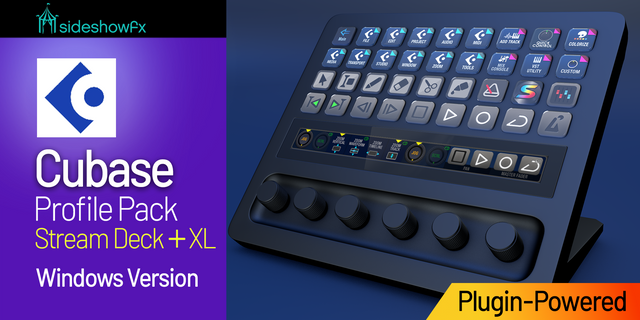
Cubase Pro Profiles for Stream Deck + Windows
by SideshowFX
Overview
PUT CUBASE AT YOUR FINGERTIPS
Built exclusively for Stream Deck + • Windows • Cubase 12–15
IMPORTANT: NO THIRD-PARTY MIDI PLUGIN REQUIRED
This pack now runs on the SideshowFX MIDI Plugin — included FREE. The previously required paid MIDI plugin from Trevliga Spel is no longer needed. Turn your Stream Deck + into a powerful Cubase production, editing and mixing console with 15 interconnected profiles designed for musicians, producers, sound designers and audio editors.
⚡ POWERED BY OUR OWN MIDI PLUGIN
At the heart of the pack is the SideshowFX MIDI Plugin, giving you integrated MIDI control directly from your Stream Deck +. Control mixer functions, parameters, MIDI editing and more with keys and rotary dials — without purchasing an additional MIDI plugin.
🎚️ MIX CONSOLE CONTROL
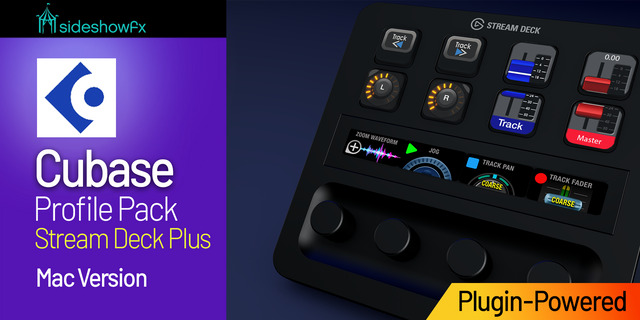
Turn your Stream Deck + into a compact Cubase mixing console. The dedicated Mix Console profile combines: Transport • Live Fader & Pan Feedback • Quick Controls • EQ All eight Cubase Quick Controls are mapped and ready to adjust — just press and turn.
🎛️ ROTARY DIAL CONTROL
Put the Stream Deck + dials to work throughout your Cubase workflow. Make precise adjustments, control parameters and work directly with MIDI notes. Retime and transpose MIDI using the Stream Deck + dials for fast, tactile control.
🎹 VST & EFFECTS CONTROL
Load instruments and effects with a button press and control plugin parameters directly from your Stream Deck +. Get started immediately with: 16 preloaded effects ready to launch 19 preloaded VST launchers that add an instrument track with the VST attached 80+ VST icons for customizing your own instruments and effects Add your own favourites and build a workspace around the plugins you actually use.
VSTs must be installed on your system.
🎼 15 INTERCONNECTED PROFILES
All 15 profiles link seamlessly through the Main Profile, keeping the right tools within easy reach throughout your Cubase workflow. Move between mixing, editing, MIDI, instruments, effects and other production tasks without constantly searching through menus.
🌎 USE YOUR OWN KEYBOARD LAYOUT
Cubase 12–15 users can use any keyboard language layout and continue using their own customized Cubase keyboard shortcuts. There's no requirement to replace your existing workflow with our custom keyfile.
🎨 700+ ICONS IN 5 STYLES
Customize your Stream Deck with 700+ icons supplied in five different styles: Black Labelled • Transparent Unlabelled • Grey Labelled • Dark Grey Labelled • Dark Blue Labelled
✨ FULLY CUSTOMIZABLE
Move controls, reorganize pages, add your own VSTs and effects, and tailor the profiles around the way YOU work.
WHAT YOU GET
✓ SideshowFX MIDI Plugin — included FREE ✓ No third-party MIDI plugin required ✓ 15 interconnected Cubase profiles ✓ Mix Console with live feedback ✓ Rotary dial control ✓ MIDI editing with dials ✓ 16 preloaded effects ✓ 19 preloaded VST launchers ✓ 80+ VST icons ✓ 700+ icons in 5 styles ✓ Custom keyboard shortcuts ✓ 129-page Cubase manual ✓ Free updates for life ✓ License for use on 2 computers
BEFORE YOU BUY
• Stream Deck + only • Windows only • Designed for Cubase 12–15 • Trevliga Spel MIDI plugin is NOT required • Not designed for Nuendo
View or download the complete PDF guide: https://www.dropbox.com/t/RB3dL5SxqNbCLuyz
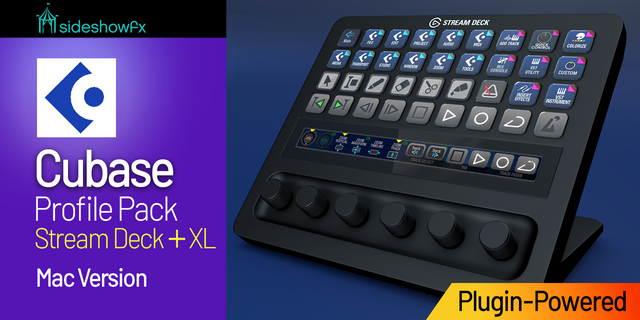
Looking for the Mac version? https://marketplace.elgato.com/product/cubase-pro-profiles-for-stream-deck-plus-mac-20cd638a-3cc0-43ae-a854-450443c1bf39
Version 3.0 introduces a major change to the MIDI communication system, replacing the Trevliga Spel MIDI Plugin with our proprietary SFX MIDI Bridge.
You are no longer required to purchase a separate MIDI plugin. SideshowFX’s MIDI plugin is included in the pack for free.
This change primarily affects the MIDI runtime used by Cubase.
Cubase 11 is no longer supported.
Version 3
Oct 6, 2026
Details
Type
Audio
Productivity
Device
Stream Deck +
OS
Windows
Compatibility
Stream Deck 7.1 or later
Size
409.72 MB
Version
3
Support
Icons
Yes
Dial support
Yes
Additional links
You might also like