Video
Stream Deck + Color Panel for Davinci Resolve (Mac)
by SideshowFX
Overview
🎃🎃🎃SAVE 30% UNTIL NOV 1 DURING OUR HALLOWEEN SALE!🎃🎃🎃 ENTER THE DISCOUNT CODE SPOOKY AT CHECKOUT
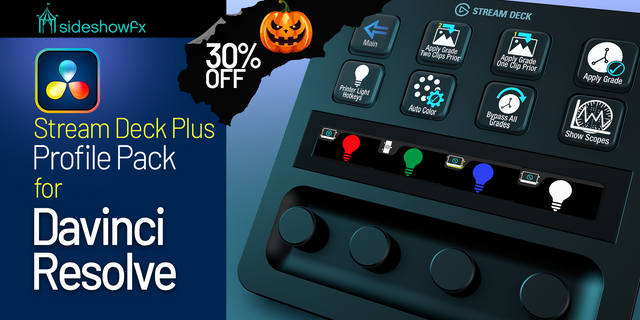
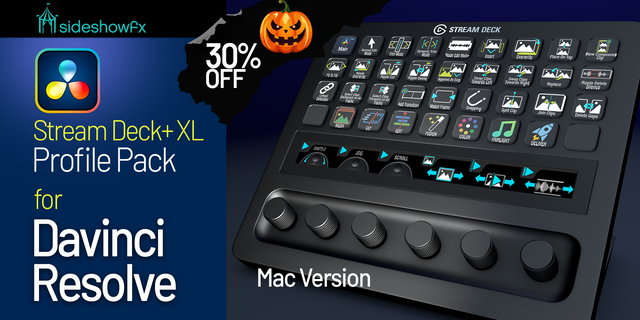
TURN YOUR STREAM DECK + INTO A COLOR GRADING PANEL
REAL COLOR PARAMETER CONTROL • 11 READY-TO-USE RESOLUTIONS • EXTENSIVE COLOR PAGE SUPPORT
Stream Deck + Only • Mac Only • DaVinci Resolve 20 or Later
🎨 MORE THAN SHORTCUTS. REAL COLOR CONTROL.
Most Stream Deck profiles rely on keyboard shortcuts. But many of DaVinci Resolve's most important Color page parameters don't have shortcuts. Our DaVinci Color Panel changes that. Using mouse-positioning technology, this pack lets you actually adjust Color page parameters from your Stream Deck +—not simply open tools or navigate menus. Turn your Stream Deck + into a versatile color grading control surface without investing thousands in a dedicated grading panel.
🎛️ EXTENSIVE COLOR GRADING CONTROL
Access and adjust a remarkable range of DaVinci Resolve controls:
PRIMARY GRADING • Primary Color Wheels • Log and HDR Grading • Printer Lights
SECONDARY CORRECTIONS • Qualifiers and Power Windows • Tracking, Mattes and Keys
ADVANCED COLOR TOOLS • Curves and Color Warper • RGB Mixer and Magic Mask • Dolby Vision, Blur and Sizing
CUSTOM OFX CONTROL Configure additional OFX parameter adjustments using the included Custom Keys page.
⚡ ADJUST VALUES, NOT JUST SHORTCUTS
Use the included adjustment keys to change grading parameters directly. Add an optional, inexpensive trackball for an even more hands-on experience. Modifier keys let you adjust sensitivity for finer control. This is what separates the Color Panel from conventional shortcut packs.
🖥️ 11 READY-TO-USE DISPLAY RESOLUTIONS
Preprogrammed profile suites are included for these single-monitor Mac resolutions:
• 1440 × 900 • 1512 × 982 • 1728 × 1116 • 1920 × 1080 • 2048 × 1152 • 2240 × 1260 • 2560 × 1440 • 2880 × 1620 • 3008 × 1692 • 3200 × 1800 • 3840 × 2160 (4K)
Using one of these configurations? Your mouse positions are already programmed, so you can get started without recording each control yourself.
⚙️ CUSTOMIZE FOR YOUR WORKSTATION
Different resolution or dual monitors? Use the included Generic Profile Suite to record control positions for your own display configuration.
🎬 COLOR PANEL VS. PRO PROFILES
DAVINCI COLOR PANEL (This pack) Adjusts actual Color page parameters using mouse positioning, including controls without keyboard shortcuts. Also includes Color page shortcuts.
DAVINCI PRO PROFILES Provides extensive keyboard shortcuts across the entire DaVinci Resolve application, but does not offer this pack's Color parameter adjustments.
Two complementary tools for two different workflows sold separately.
✓ WHAT YOU GET
✓ Preprogrammed Stream Deck + Color Panel profiles ✓ Extensive Primary, Log and HDR controls ✓ Qualifiers, Windows, Tracking and Keys ✓ Curves, Color Warper, RGB Mixer and OFX controls ✓ 11 preconfigured display-resolution suites ✓ Generic profiles for custom configurations ✓ Optional trackball-assisted adjustments ✓ Free updates for existing owners
⚠️ BEFORE YOU BUY
• Stream Deck + only • Mac only — Windows not supported • DaVinci Resolve 20 or later • Designed for the Color page, not application-wide shortcuts • Uses mouse coordinates; display resolution and workspace layout must match • Dual monitors or other resolutions require manual position setup • Optional trackball sold separately
NAVIGATION VIDEO: https://youtu.be/JEzflXoWD20
PDF GUIDE: https://www.dropbox.com/t/A1maFcho5W2VBi0o
DAVINCI PRO PROFILES (APPLICATION-WIDE SHORTCUTS): https://marketplace.elgato.com/product/davinci-resolve-profile-stream-deck-84dd985d-553b-4d46-814a-13f6f501f656
SIDESHOWFX — PREMIUM STREAM DECK WORKFLOWS. HANDCRAFTED & ENGINEERED SINCE 2019.
DaVinci Resolve is a trademark of Blackmagic Design Pty Ltd. SideshowFX is not affiliated with or endorsed by Blackmagic Design.
Color Warper, Qualifier and Magic Mask updated for Davinci Resolve 20.
New Pre-built Display Resolution profiles have been added:
1728x1116 (Macbook 16”) 1512x982 (Macbook 14”) 1440x900 (Macbook Air 13”)
Version 3
Jun 24, 2025
Details
Type
Video
Device
Stream Deck +
OS
macOS
Compatibility
Stream Deck 6.4 or later
Size
562.02 MB
Version
3
Support
Icons
Yes
Dial support
Yes
Additional links
You might also like
-thumbnail-optimized-70755905-473d-4379-b183-c468177014c5.png)