Video
Stream Deck + Color Panel for Davinci Resolve (Windows)
by SideshowFX
Overview
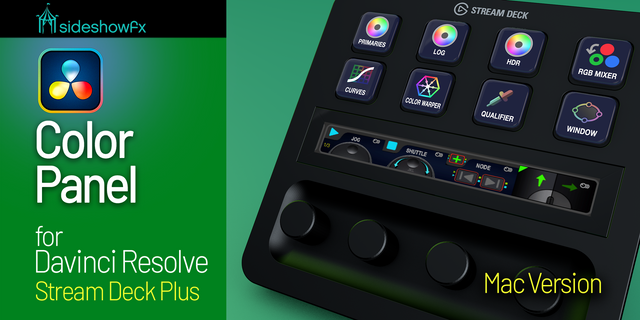
TURN YOUR STREAM DECK + INTO A COLOR GRADING PANEL
REAL COLOR PARAMETER CONTROL • EXTENSIVE COLOR PAGE SUPPORT • HANDS-ON GRADING
Stream Deck + Only • Windows Only • DaVinci Resolve 20 or Later
⚠️ REQUIRED PAID MIDI PLUGIN
This pack requires the Trevliga Spel MIDI Plugin, purchased separately. The plugin became paid on March 3, 2026. Existing plugin owners do not need to purchase it again.
🎨 MORE THAN SHORTCUTS. REAL COLOR CONTROL.
Most Stream Deck profiles rely on keyboard shortcuts. But many of DaVinci Resolve's most important Color page parameters don't have shortcuts. Our DaVinci Color Panel changes that. Turn your Stream Deck + into a versatile color grading control surface, allowing you to adjust actual Color page parameters, not simply open tools or navigate menus. Get hands-on grading control without the expense of a dedicated professional grading panel.
🎛️ EXTENSIVE COLOR GRADING CONTROL
Access and adjust a remarkable range of DaVinci Resolve controls:
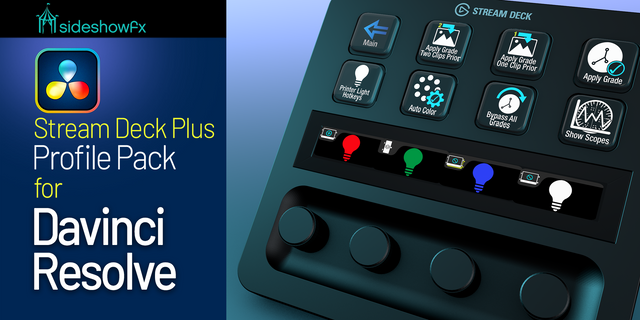
PRIMARY GRADING • Primary Color Wheels • Log and HDR Grading • Printer Lights
SECONDARY CORRECTIONS • Qualifiers and Power Windows • Tracking, Mattes and Keys
ADVANCED COLOR TOOLS • Curves and Color Warper • RGB Mixer and Magic Mask • Dolby Vision, Blur and Sizing
CUSTOM OFX CONTROL Configure additional OFX parameter adjustments using the included Custom Keys page.
⚡ ADJUST VALUES, NOT JUST SHORTCUTS
Use the built-in adjustment keys to change grading parameters directly. Add an optional trackball for an even more hands-on experience. Modifier keys let you adjust sensitivity for finer control. Go beyond shortcuts and take control of your grade.
🎬 PURPOSE-BUILT FOR THE COLOR PAGE
This pack focuses on DaVinci Resolve's Color workspace, providing extensive parameter adjustments alongside Color page shortcuts. Need shortcuts throughout the entire application? Our separate DaVinci Resolve Pro Profiles cover application-wide shortcuts, but do not provide this pack's extensive Color parameter adjustments. Two complementary tools for different workflows.
✓ WHAT YOU GET
✓ Preprogrammed Stream Deck + Color Panel profiles ✓ Extensive Primary, Log and HDR controls ✓ Qualifiers, Windows, Tracking and Keys ✓ Curves, Color Warper, RGB Mixer and more ✓ Custom OFX parameter controls ✓ Hands-on grading adjustments ✓ Optional trackball-assisted control ✓ PDF guide and navigation video ✓ Free updates for existing owners
⚠️ BEFORE YOU BUY
• Stream Deck + only • Windows only — Mac version sold separately • DaVinci Resolve 20 or later • Trevliga Spel MIDI Plugin required and sold separately • Windows 11 MIDI V2 may require the documented workaround • Designed for the Color page, not application-wide shortcuts • Optional trackball sold separately
NAVIGATION VIDEO: https://youtu.be/6QdK7m_ar5o
PDF GUIDE: https://www.dropbox.com/t/1BMeAQJCPKDkes0T
MAC VERSION: https://marketplace.elgato.com/product/stream-deck-plus-color-panel-for-davinci-resolve-mac-e32d62c5-cb8b-43b7-8ba6-3674e6954bad
SIDESHOWFX — PREMIUM STREAM DECK WORKFLOWS. HANDCRAFTED & ENGINEERED SINCE 2019.
DaVinci Resolve is a trademark of Blackmagic Design Pty Ltd. SideshowFX is not affiliated with or endorsed by Blackmagic Design.
V 4.0 - May 2025
Due to extensive UI ID changes in Davinci V20, the script that this pack uses needed to be completely re-written. Therefore this pack will only work with Davinci 20 and above.
The following additions have been added to this version:
Chroma Warp controls have been added to Color Warper
Qualifier LUM and Qualified 3D has been added to Qualifier
Magic Mask 2 has been added
Version 4
May 19, 2025
Details
Type
Video
Device
Stream Deck +
OS
macOS
Windows
Compatibility
Stream Deck 6.4 or later
Size
260.8 MB
Version
4
Support
Icons
Yes
Dial support
Yes
Additional links
You might also like