Music
Music Deck Bridge
by minjungw00
Overview
Music Deck Bridge requires BOTH the Stream Deck plugin and its companion Chrome extension on the same Windows PC. Neither component works on its own.
Companion Chrome Extension:
https://chromewebstore.google.com/detail/ldipcjgadbppphalmibkofhigjffnlca
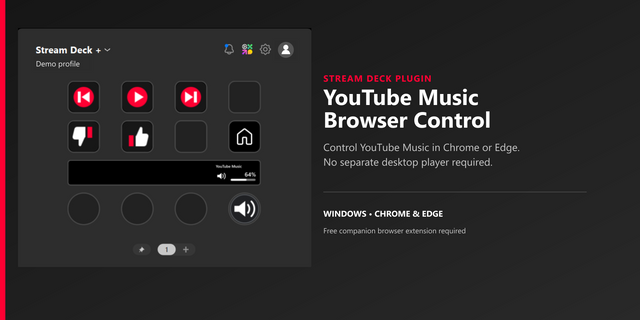
Control YouTube Music directly from Chrome or its installed app. Independent, unofficial integration.
Features:
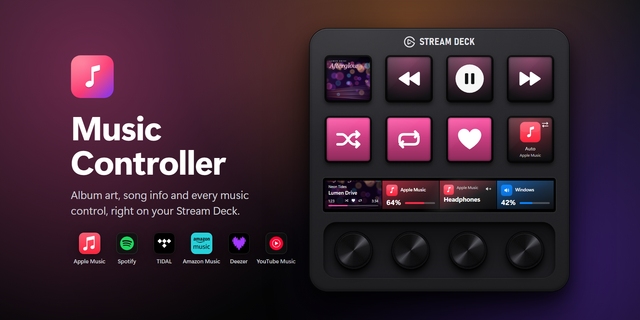
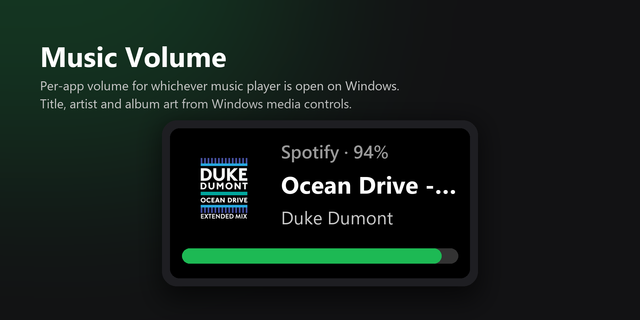
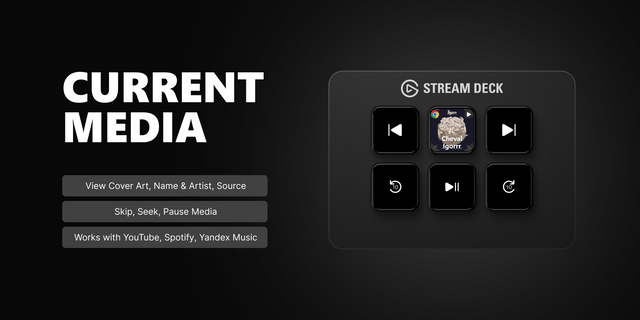
play/pause, previous/next, mute, open YouTube Music, Like/Dislike, and current title, artist and artwork. Stream Deck + dials control volume and tracks and display configurable song information or artwork.
How to Use:
Music Deck Bridge requires BOTH the Stream Deck plugin and its companion Chrome extension on the same Windows PC. Neither component works on its own.
Recommended installation — official stores:
1. Install this plugin from Elgato Marketplace.
2. In Chrome, open the companion extension's Chrome Web Store page, select Add to Chrome and confirm installation:
https://chromewebstore.google.com/detail/ldipcjgadbppphalmibkofhigjffnlca
Optional installation — Chrome extension ZIP from GitHub Releases:
Use this option instead of step 2 above if you prefer to install the Chrome extension manually. Download music-deck-bridge-chrome-<version>.zip from the latest stable GitHub Release:
https://github.com/minjungw00/music-deck-bridge/releases/latest
Use the packaged Chrome extension ZIP, not a Source code archive. Extract it to a permanent folder. In Chrome, open chrome://extensions, enable Developer mode, choose Load unpacked, and select the folder containing manifest.json. Keep this folder. Keep only one active copy of the extension.
Pair and start playback — for either installation method:
1. Add any Music Deck Bridge action in Stream Deck. Open its settings and select Generate PIN.
2. Enter the six-digit PIN in the Chrome extension popup within 10 minutes, then select Connect.
3. Open music.youtube.com in Chrome or the YouTube Music Chrome app.
Requires Windows 10/11, Chrome 116+ and Stream Deck 7.1+. Dial actions require Stream Deck +. Prebuilt packages need no separate Node.js or npm. Independent, unofficial integration; not affiliated with Google, YouTube or Elgato.
Music Deck Bridge 1.1.3 improves Current Track artwork and playback recovery when opening YouTube Music or changing tracks.
Fit non-square Current Track key artwork proportionally with centered black margins, including title-backdrop variants.
Recover ignored startup Play requests and UNSTARTED navigation destinations with bounded explicit Play retries. Confirm playback after Previous/Next, avoid repeating navigation, and allow later controls to proceed while older results are being checked.
Separate playback lifecycle and recovery helpers, and retain bounded diagnostic state without track identifiers, URLs, credentials or raw site errors.
Update the Elgato SDK to 3.0.3 and CLI to 1.10.3, with a scoped Zod 4.6.7 override and fast-uri 3.1.9 security updates. Node.js remains 24; bridge protocol remains 1.
Version 1.1.3
Nov 2, 2026
Details
Type
Music
OS
Windows
Compatibility
Stream Deck 7.1 or later
Size
511.15 KB
Version
1.1.3
Language
English
Korean
Support
Neo Infobar support
No
Profiles
No
Dial support
Yes
Additional links
You might also like